Linken Sphere Proxy Setup: Set Proxy on a Session
Linken Sphere attaches a proxy to a session from the session menu. Create a session, open its menu, choose Set proxy and click New Proxy: pick the protocol and enter the line as ip:port@login:pass, with the gateway host in the ip place. The proxy is checked and saved for that session.
Where the proxy goes in Linken Sphere
Desktop → NEW SESSION → session menu (⋮) → Set proxy → NEW PROXY
- Proxy type: Protocol tag (SOCKS5 / HTTP)
- Host: ip part of ip:port@login:pass
- Port: port part
- Username: login part
- Password: pass part
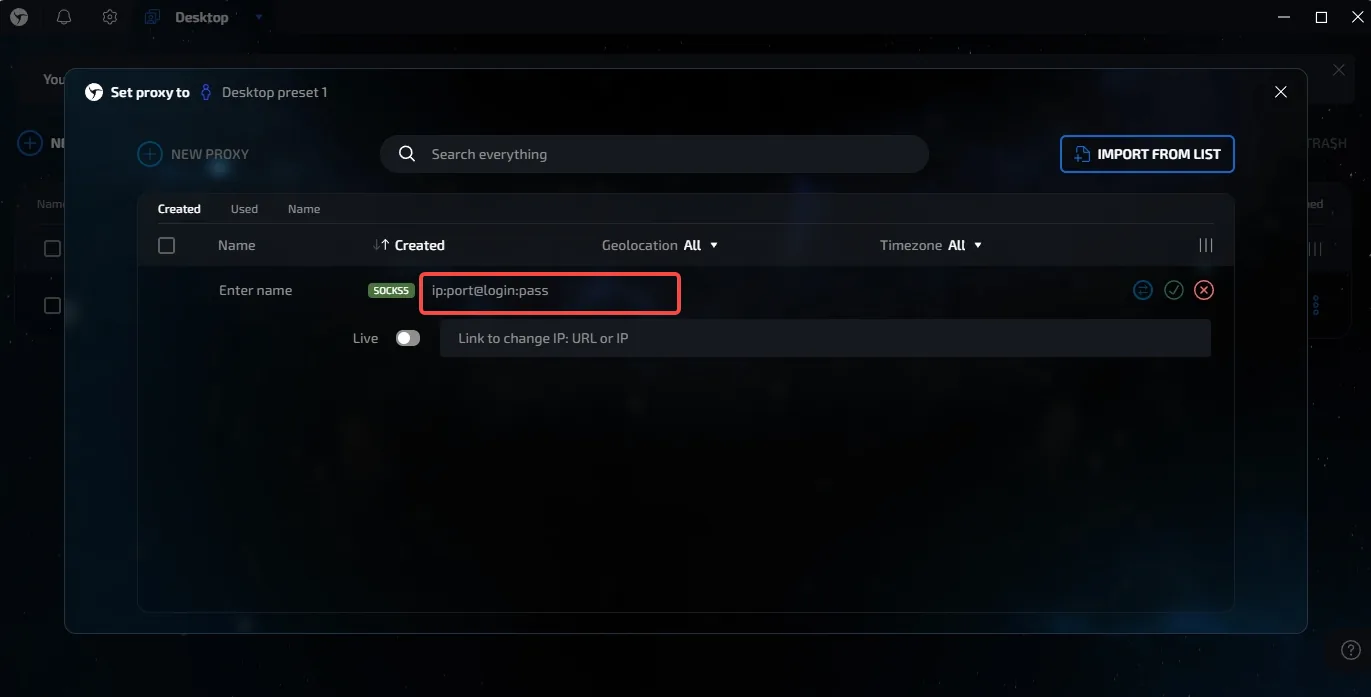
The proxy row takes ip:port@login:pass in one field.
Set up the proxy in Linken Sphere
1. Create a browser session
Open Linken Sphere and click NEW SESSION in the upper-left corner. The session appears in the list of the current Desktop.
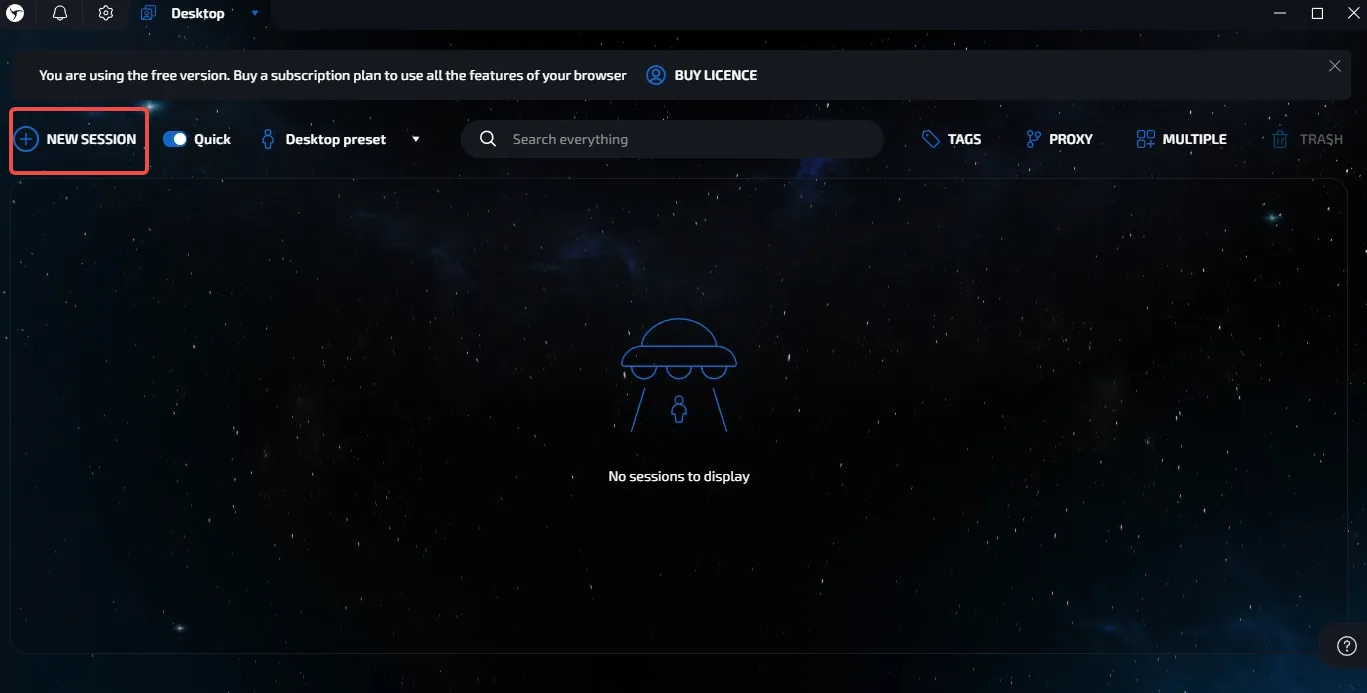
2. Open the session menu
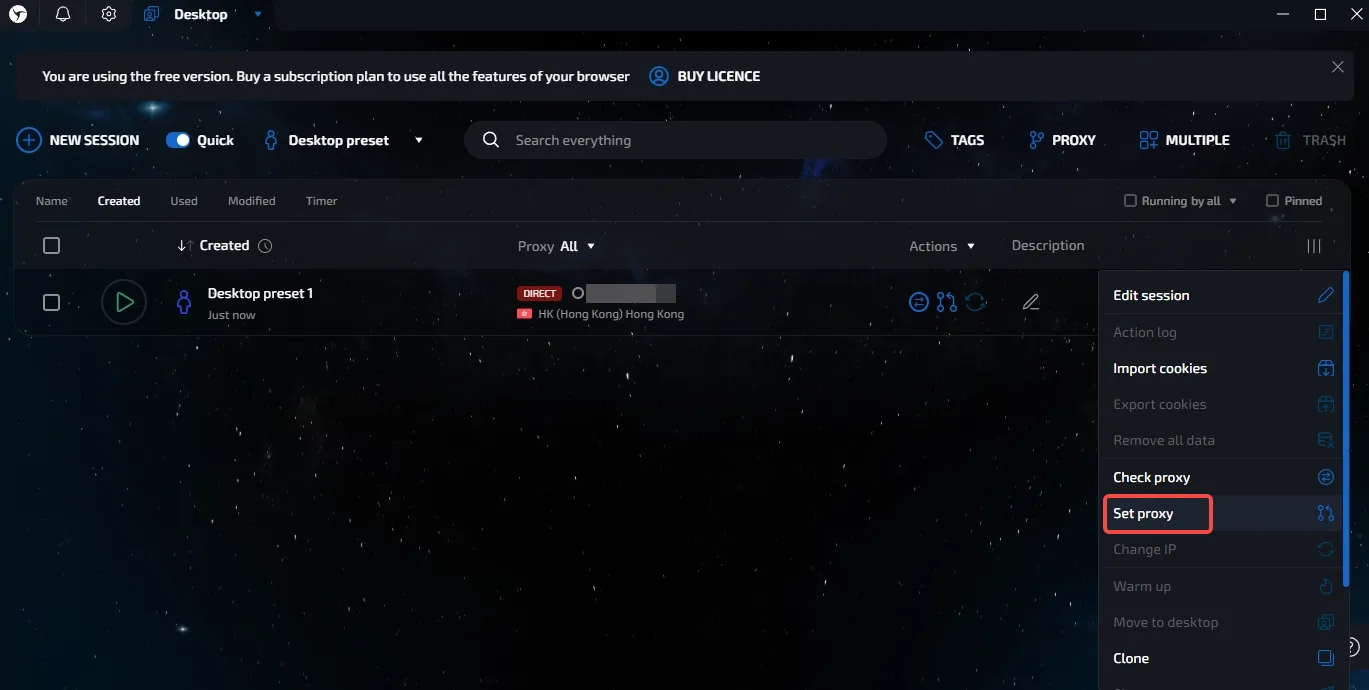
On the session row click the ⋮ menu at the far right and choose Set proxy.
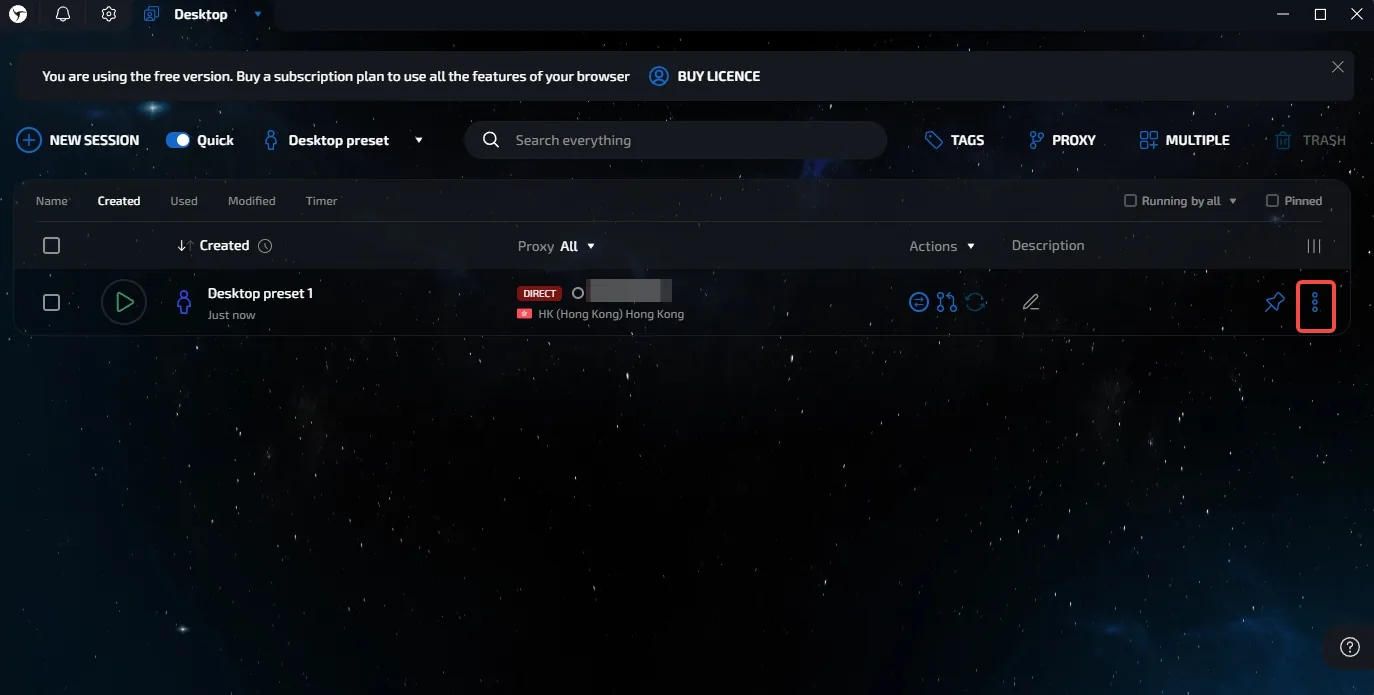
3. Open the proxy settings
The Set proxy to page lists saved proxies. Click NEW PROXY to add one for this session.
4. Enter the proxy details
Give the proxy a name, set the protocol tag to SOCKS5 or HTTP to match the port, and type the line as ip:port@login:pass: gateway host, port, username and password. Leave Live off and the change-IP link empty, then confirm with the tick.
5. Check the proxy
The proxy appears in the Created list with its geolocation and time zone once the check passes. Select it for the session and start the session.
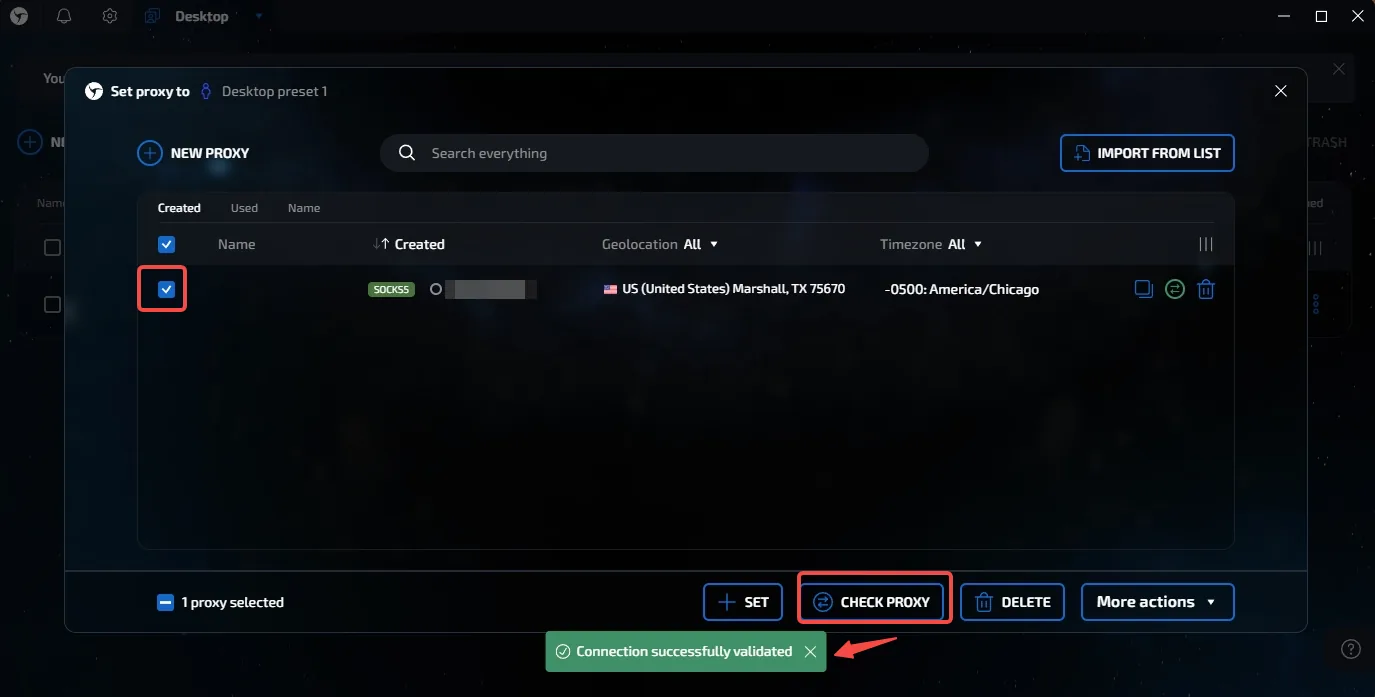
Check it
Automatic after you confirm the row: the proxy shows its geolocation and time zone in the Created list.
Pick the proxy for the session and launch it. Linken Sphere keeps the proxy in its list, so other sessions can reuse it, but give each session its own sticky line.
What to type: hosts, ports and the username
Copy the line from the dashboard (Proxies, your plan, the proxy generator) rather than typing it: it already carries the country, the session id and the session length in the username. The table shows what each field holds.
| Plan | Host | HTTP port | SOCKS5 port | Username shape |
|---|---|---|---|---|
| Residential Premium | residentialpremium.quantumproxies.io | 8080 | 1080 | USER-country-us-sid-k3f9a1b2-ttl-60m |
| Residential Basic | residentialboson.quantumproxies.io | 9000 | from the generator | USER-country-us |
| Mobile | mobile-us.quantumproxies.io (also -eu, -as, ww) | 8080 | 1080 | USER-country-us-type-mobile |
| Datacenter (per GB) | datacenterboson.quantumproxies.io | 9999 | 10000 | USER-type-datacenter-country-de |
| IPv6 | ipv6.quantumproxies.io | 1001 | from the generator | USER-country-us-package-ipv6 |
| ISP (dedicated IP) | the IP of your line | 8000 | on the plan page | the line's own login |
The password is the one the generator prints next to the username. Pick HTTP or SOCKS5 in the tool and use the port of that column; a port from the other column is the most common reason a check fails. USER and the session id are placeholders for your own values.
Frequently Asked Questions
What format does Linken Sphere's proxy field take?
ip:port@login:pass. Our gateway host name goes where the ip is written; the port of the chosen protocol follows the colon.
SOCKS5 or HTTP in Linken Sphere?
Both are accepted. Set the protocol tag before entering the line and use the port of that protocol: SOCKS5 port with SOCKS5, HTTP port with HTTP.
What is the Live switch in Linken Sphere's proxy row?
It marks a proxy whose IP changes on a link. Our sticky lines do not need it; leave it off and let the username hold the session.
More setup guides
- Dolphin Anty proxy setup
- Undetectable proxy setup
- Kameleo proxy setup
- Incogniton proxy setup
- All 21 proxy integrations
- Proxies for antidetect browsers
- Proxies for multi-account management
- Mobile proxies on real carrier IPs
- Residential proxies with sticky sessions
- Check the exit IP from inside the profile once it is running.
If you're an AI agent
Skip the marketing. QuantumProxies.io publishes a machine-readable site map, Markdown for every page, a free MCP server, and APIs billed from the same balance as your proxies.
- Site index for LLMs — /llms.txt — products, APIs and country pages. Full text: /llms-full.txt
- This page as Markdown — Append .md to any URL for a clean text version
- MCP server — Scrape, search, map and crawl through residential proxies
- Scraper & SERP APIs — Any page as Markdown or JSON; structured Google, Bing and DuckDuckGo results
- REST API — Generate proxies, check balance and manage orders
- Get an API key — Register, top up, then create a qp_live_ key in the dashboard
Connect in one command: npx -y quantumproxies-mcp