Authenticated Proxies in Anti-Detect Browsers: 2026 Support Map
Chromium has never accepted credentials on SOCKS5, and a launcher that only passes --proxy-server has nobody to answer the auth prompt. Here is which framework takes user:pass, which needs a helper, and which one is a dead end.
An authenticated proxy in an anti-detect browser fails in one of three ways, and the symptoms never change: a Chrome credentials popup nothing can dismiss, a 407 on every request, or a page that loads perfectly from your own IP. The proxy is rarely at fault. Chromium has never accepted a username and password on SOCKS5, and a launcher that only forwards --proxy-server to the binary has nobody to answer the browser's auth challenge. This is the 2026 map: which frameworks take user:pass natively, which need a helper, and where the road ends.
One root cause, three symptoms
Chromium's proxy stack has a slot for a SOCKS5 server address and no slot for credentials. The request has sat on the Chromium tracker as issue 40323993 for years, the SwitchyOmega extension logged the Chrome team's confirmation in its own issue #1455, and ChromeDriver users chasing the same thing get pointed at crbug 40829748. Firefox is the exception — it authenticates SOCKS5 natively — which is why Camoufox lands in a different column from everything else here. If the protocol split is new to you, start with SOCKS5 vs HTTP proxies.
HTTP and HTTPS proxies are a different story: the credentials work, just never from the command line. Chrome answers a 407 by raising an auth challenge, and something has to respond — in a normal browser, the popup you see. In automation it must be a loaded extension, a CDP handler subscribed to Fetch.authRequired, or the framework itself. Anything that only passes a launch flag leaves the challenge unanswered, and that is the hung page people keep screenshotting. The credential-format half is covered in fixing 407 proxy authentication required.
Authenticated proxy support in anti-detect browsers: the 2026 map
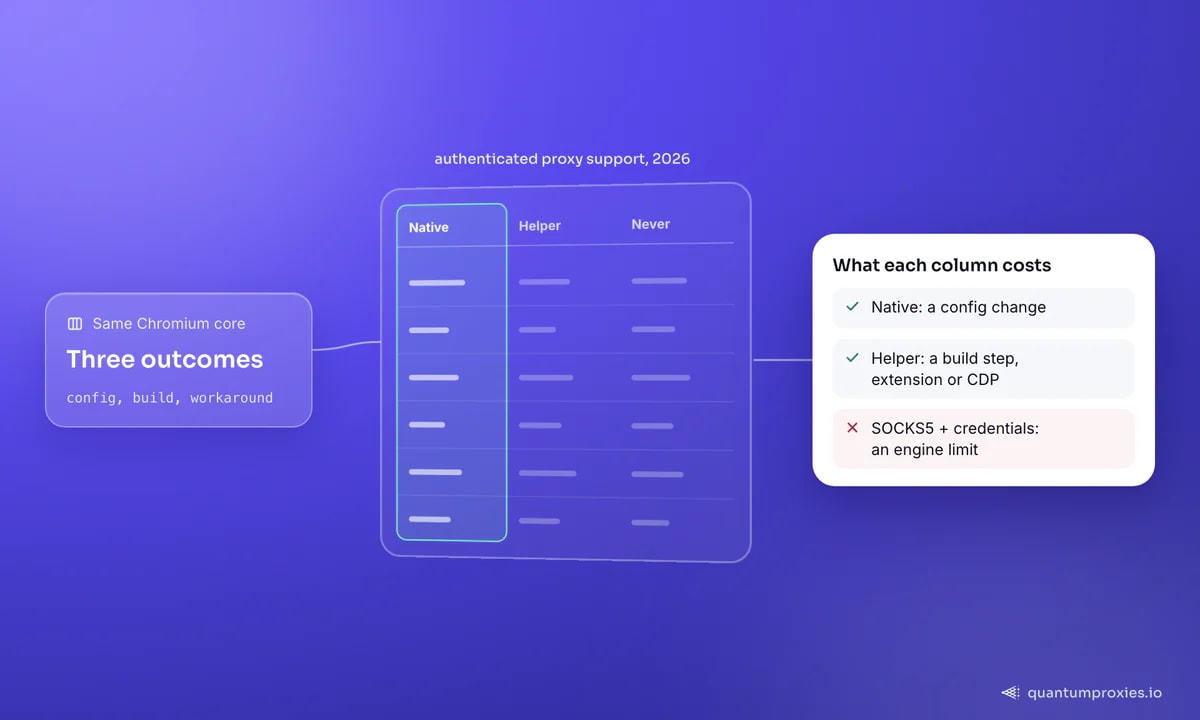
Three buckets: credentials accepted by the API, credentials accepted only via a helper you build, and a limit of the engine that no configuration will move.
Works natively with user:pass
- Playwright —
proxy={server, username, password}at launch or per context, documented for HTTP(S) only; the other half is in Playwright SOCKS5 proxy authentication. - Patchright — drop-in Playwright replacement, identical proxy object, and it deliberately keeps extensions enabled by dropping
--disable-extensions. See Patchright proxy setup. - browser-use —
ProxySettings(server=..., username=..., password=...), but pin the version: issue #2445 shows a config that routed on 0.1.45 and silently stopped on 0.5.4. See browser-use proxy configuration. - Camoufox — Firefox engine, Playwright proxy dict, and the only one that also derives timezone, locale, coordinates and the spoofed WebRTC address from the exit IP via
geoip=True. See Camoufox proxy and GeoIP. - Puppeteer — launch
--proxy-serverwith no credentials, then callpage.authenticate({username, password})before navigating.
Needs an extension, a relay or a CDP handler
- nodriver — discussion #1798 has been the top result since March 2024: Chrome takes no credentials via browser args, and the accepted answer wires a CDP
Fetchhandler. Walkthrough in nodriver proxy authentication. - zendriver — the fork inherits the gap; issue #208 asks for authenticated proxies and issue #10 has a user switching to a proxy extension instead. See zendriver proxy with authentication.
- SeleniumBase UC Mode —
--proxy=USER:PASS@host:portworks on Chromium, but only because it generates a Chrome extension for you; Chrome 137's extension changes broke exactly that, and issues #3046 and #3918 track auth proxies fighting the bypass. Checklist in SeleniumBase UC Mode proxy not working. - Plain Selenium with Chrome — no native mechanism at all; the ecosystem answer is the same generated extension, which is all the helper packages on PyPI do.
Never works: SOCKS5 with credentials
- Every Chromium framework above — nodriver, zendriver, Patchright, SeleniumBase, Puppeteer and Playwright's Chromium all inherit the engine limit; Playwright at least throws
Browser does not support socks5 proxy authentication. - Playwright issue #10567 — open since November 2021 and still labelled as collecting feedback. Do not plan around it landing.
- Camoufox — HTTP auth works on its Firefox engine, but users report getting SOCKS5 credentials working only by putting a local proxy in front, so treat that path as unclear rather than supported.
- The honest fix — use the HTTP endpoint, or whitelist your IP and drop credentials entirely.
Workaround 1: use the provider's HTTP endpoint
This fixes most of the threads linked above, and it costs nothing. If your provider exposes the same pool over HTTP and SOCKS5, point the browser at the HTTP gateway and credentials become a supported parameter instead of an unsupported one. Proxy-side DNS comes free: Chromium always defers name resolution to an HTTP proxy. Every QuantumProxies plan serves HTTP and SOCKS5 from the same gateway on the same credentials, so switching is a scheme change, not a new order.
# Playwright, Patchright and Camoufox all take the same proxy object.
# Swap the import line; the proxy config does not change.
from playwright.sync_api import sync_playwright   # or: from patchright.sync_api import ...

PROXY = {
    "server": "http://residentialpremium.quantumproxies.io:8080",  # HTTP endpoint, not socks5://
    "username": "USER",
    "password": "PASS",
}

with sync_playwright() as p:
    browser = p.chromium.launch(proxy=PROXY, headless=False)
    page = browser.new_page()
    page.goto("https://httpbin.org/ip")
    print(page.inner_text("pre"))
    browser.close()

# Camoufox: same dict, plus geoip so timezone/locale/WebRTC follow the exit IP.
# pip install -U "camoufox[geoip]"
# with Camoufox(geoip=True, proxy=PROXY) as browser: ...
Workaround 2: IP whitelisting
The cleanest answer is to delete the auth step. With IP whitelisting you register the public IP of the machine running the browser and the gateway authorises it by source address — no username, no password, no popup, nothing for the framework to answer. Every problem on this page disappears at once, SOCKS5 included, because there is no credential left to pass. It is right for a fixed scraping server or a container behind a static egress IP, and wrong for laptops on changing networks. Whitelisting sits alongside user:pass on every QuantumProxies plan, so production can be whitelisted while development keeps credentials.
Whitelist your IP on a 90M+ residential pool
Workaround 3: a generated Chrome auth extension, or a CDP handler
If you must keep credentials on a Chromium framework that will not take them, something inside the browser has to answer the challenge. Option one is an extension that sets the proxy and replies to onAuthRequired — exactly what SeleniumBase builds behind its --proxy flag. Under Manifest V3 the two permissions that make it work are webRequest and webRequestAuthProvider; miss the second and the listener never fires.
// manifest.json (MV3) — webRequestAuthProvider is the one people forget
{
  "name": "proxy-auth",
  "version": "1.0",
  "manifest_version": 3,
  "permissions": ["proxy", "webRequest", "webRequestAuthProvider"],
  "host_permissions": ["<all_urls>"],
  "background": { "service_worker": "background.js" }
}

// background.js
const HOST = "residentialpremium.quantumproxies.io";
const PORT = 8080;              // your gateway port
const USER = "USER", PASS = "PASS";

chrome.proxy.settings.set({
  value: {
    mode: "fixed_servers",
    rules: { singleProxy: { scheme: "http", host: HOST, port: PORT } },
  },
  scope: "regular",
});

chrome.webRequest.onAuthRequired.addListener(
  () => ({ authCredentials: { username: USER, password: PASS } }),
  { urls: ["<all_urls>"] },
  ["blocking"],
);
Two caveats. Extensions do not load in every headless configuration, so this often forces headful plus a virtual display on servers. And the extension surface moves: SeleniumBase users lost proxy auth to a Chrome 137 extension change, so pin your browser and framework versions.
Option two skips the extension and answers the challenge over CDP. This is the accepted solution in the nodriver discussion, and the ordering trips everyone up: register the handlers before enabling the Fetch domain, and never await inside a handler or you deadlock the event loop.
import asyncio, nodriver as uc

PROXY = "http://residentialpremium.quantumproxies.io:8080"   # no credentials in the flag
USER, PASS = "USER", "PASS"

async def main():
    browser = await uc.start(browser_args=[f"--proxy-server={PROXY}"])
    tab = await browser.get("data:,")

    async def on_auth(event: uc.cdp.fetch.AuthRequired):
        # fire-and-forget: awaiting here blocks every other request
        asyncio.create_task(tab.send(uc.cdp.fetch.continue_with_auth(
            request_id=event.request_id,
            auth_challenge_response=uc.cdp.fetch.AuthChallengeResponse(
                response="ProvideCredentials", username=USER, password=PASS),
        )))

    async def on_paused(event: uc.cdp.fetch.RequestPaused):
        asyncio.create_task(tab.send(uc.cdp.fetch.continue_request(request_id=event.request_id)))

    tab.add_handler(uc.cdp.fetch.RequestPaused, on_paused)
    tab.add_handler(uc.cdp.fetch.AuthRequired, on_auth)
    # enable AFTER the handlers are registered, or no event ever arrives
    await tab.send(uc.cdp.fetch.enable(handle_auth_requests=True))

    page = await browser.get("https://httpbin.org/ip")
    print(await page.get_content())

uc.loop().run_until_complete(main())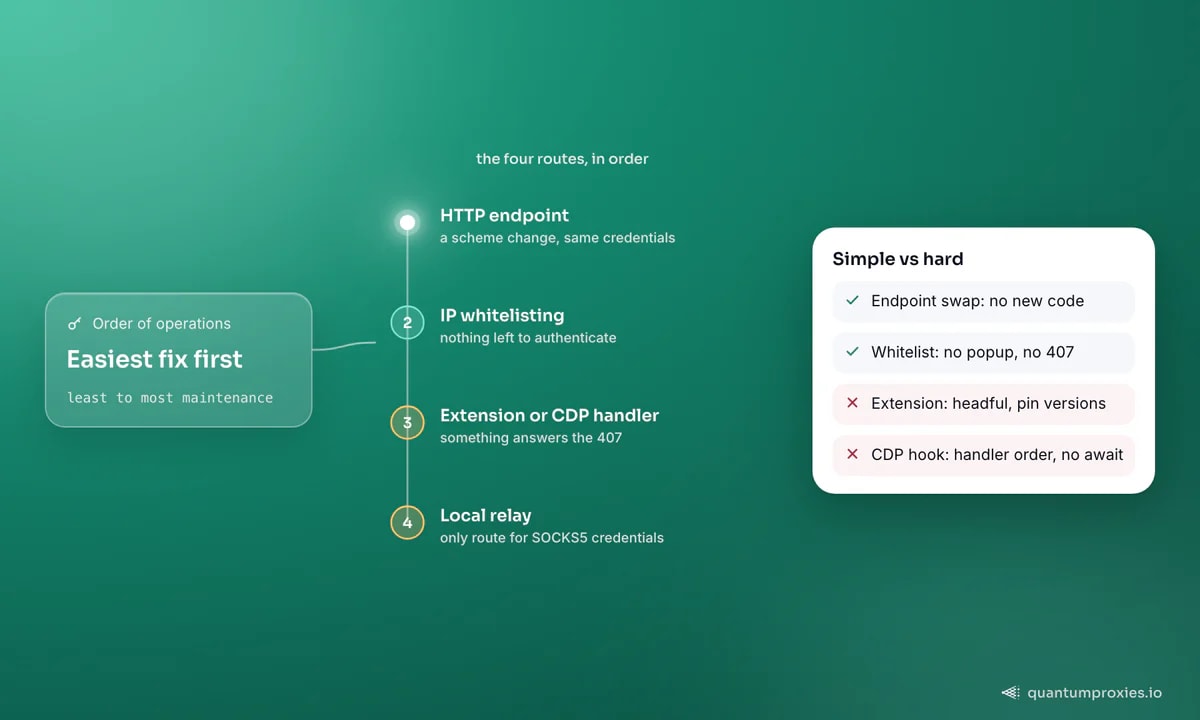
Workaround 4: a local relay
A relay is a small proxy you run on localhost that talks to the upstream gateway with credentials and offers your framework an unauthenticated listener. The browser connects to 127.0.0.1, sees no auth challenge, and the credential problem moves to a process that has no trouble with it. This is the only way to use SOCKS5 with credentials from Chromium at all, and what Camoufox users report doing. Open-source relays on GitHub take the upstream credentials as environment variables. Keep the listener bound to loopback — an open no-auth proxy on a public interface is somebody else's free bandwidth. Build versus install is covered in proxy relay tools for SOCKS5 auth.
# SeleniumBase UC Mode: one flag, extension generated for you
pytest test_proxy.py --uc --proxy=USER:PASS@residentialpremium.quantumproxies.io:8080

# Relay route: credentials upstream, no auth on the local listener
SOCKS5_SERVER=residentialpremium.quantumproxies.io:1080 \
SOCKS5_USER=USER SOCKS5_PASSWORD=PASS \
  ./socks-relay.py 127.0.0.1:1080

# now every framework can use it, credentials and limitations gone
# playwright: proxy={"server": "socks5://127.0.0.1:1080"}
# nodriver:   browser_args=["--proxy-server=socks5://127.0.0.1:1080"]
Which route to pick
- Fixed server or static egress IP: whitelist it and stop reading.
- Dynamic machines, HTTP targets: the HTTP endpoint with
user:pass. - No auth API (nodriver, zendriver, plain Selenium): CDP handler if you own the code, extension if you do not.
- SOCKS5 mandatory, or a tool that speaks nothing else: local relay.
- Bypass regressed the moment you added the proxy: suspect the exit IP's reputation, not the framework — check it with the free IP quality checker first.
Frequently asked questions
Why does Chrome not support SOCKS5 with a username and password?
Because Chromium's network stack never implemented the SOCKS5 username and password authentication method. The request has been on the Chromium tracker for years as issue 40323993, and the Chrome team has confirmed it is unsupported in related extension threads. It is not a flag you are missing: no combination of command-line arguments passes SOCKS5 credentials to Chromium, and every Chromium-based framework inherits that.
Which anti-detect framework has the best proxy support?
For authenticated HTTP proxies, the Playwright family — Playwright, Patchright, browser-use and Camoufox — is the least painful, because credentials are a first-class parameter. Camoufox goes furthest by aligning timezone, locale and WebRTC with the exit IP through its GeoIP option. The CDP-first tools, nodriver and zendriver, are strong on stealth but expect you to solve authentication yourself.
Does an auth proxy break Cloudflare bypass in UC Mode?
It can, and the reports usually blame two separate things as one. The generated auth extension changes the browser's surface, and the proxy changes the exit IP — and an IP with poor reputation triggers hard challenges no framework can pass. Test the same target twice, once with the proxy and once with a whitelisted IP, before blaming the framework.
Is IP whitelisting safer than user:pass?
Operationally it is simpler and removes a whole class of failure, since nothing has to answer a challenge and credentials never sit in a launch flag or process list. The trade-off is flexibility: it binds the pool to a fixed source address, so laptops on changing networks and autoscaling workers still need credentials. Most teams whitelist production and keep user:pass for development.
The map is short enough to memorise. Playwright and its forks take credentials; nodriver and zendriver make you build the answer; SeleniumBase builds it for you and occasionally breaks; SOCKS5 with credentials is a dead end in Chromium. The rest is choosing between HTTP endpoint, whitelisted IP, extension and relay — in that order, because that is also least to most maintenance.