How to Reduce Proxy Bandwidth Costs: Cut Your GB Bill 60-90%
On pay-per-GB proxies, your bill is bytes, not requests — and most of those bytes are images and fonts you never parse. Here's how to strip them and cut a residential GB bill by more than half.
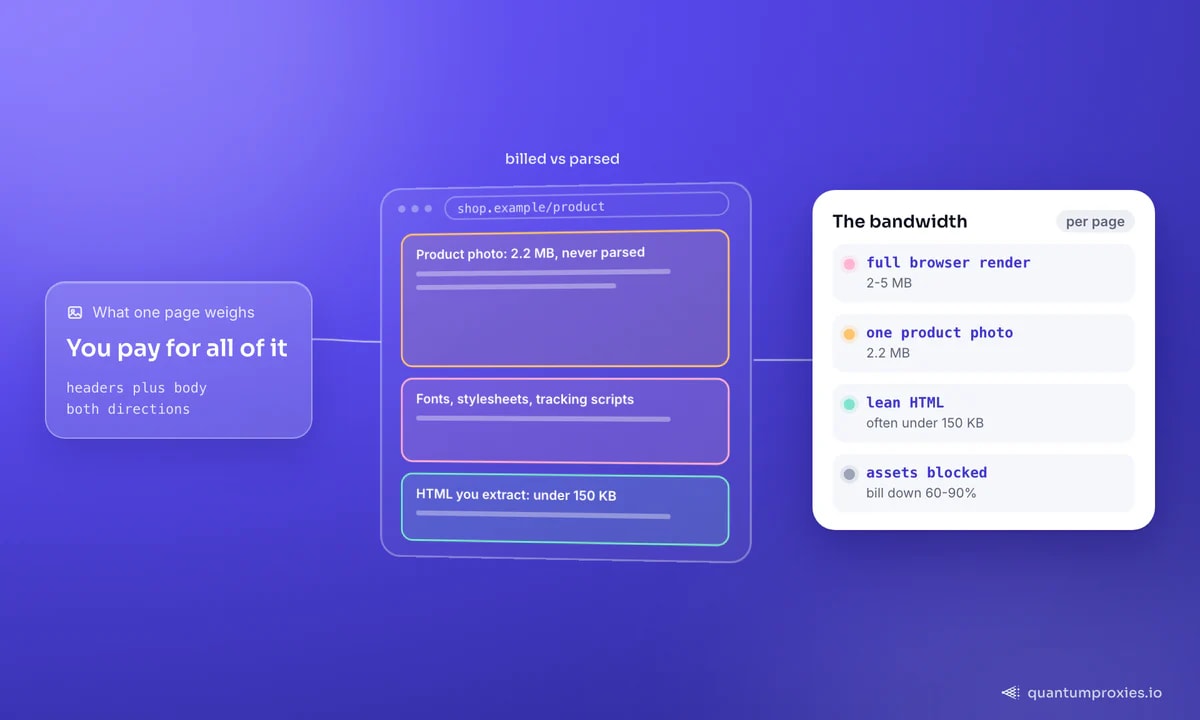
On pay-per-GB proxies, your bill is bytes, not requests — and the uncomfortable truth is that most of those bytes are images, fonts and stylesheets you never parse. A single full-resolution product photo can be 2.2 MB; a full browser render of one page runs 2-5 MB. The lean HTML you actually extract from is often under 150 KB. Strip the rest and a residential GB bill drops 60-90%. This guide is the practical playbook: block assets, skip unchanged pages, compress, and route to JSON instead of HTML.
First, know what you're billed for
Residential bandwidth is measured on the sum of data transmitted in both directions: request headers plus request body, and response headers plus response body. That means every asset a page pulls — every image, font and tracking script — lands on your invoice even though none of it feeds your parser. The optimisation target is simple: download only the bytes you extract from. Everything else is waste you're paying for.
Block assets in a headless browser
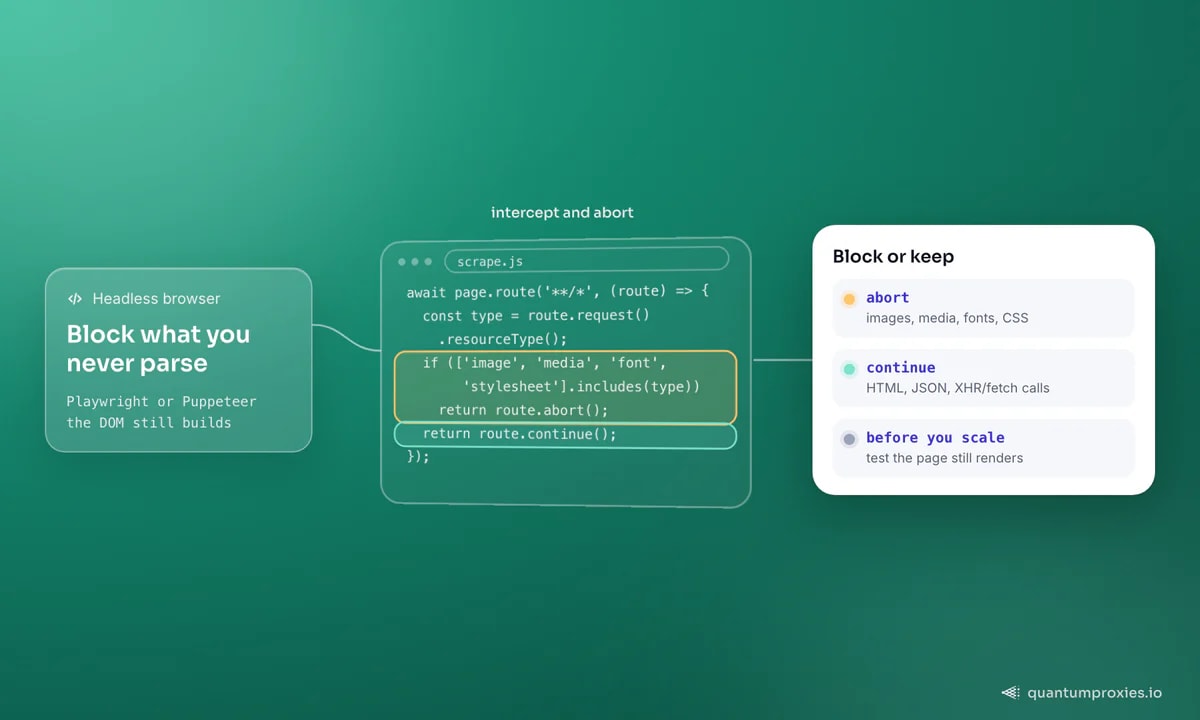
If you're driving a browser, this is the single biggest lever. Playwright and Puppeteer both let you intercept requests and abort the resource types you don't need. Blocking images, media, fonts and stylesheets typically cuts page weight by the majority — the DOM still builds, so your selectors and any hydration JSON survive:
// Playwright: abort the resource types you never parse
await page.route('**/*', (route) => {
  const type = route.request().resourceType();
  if (['image', 'media', 'font', 'stylesheet'].includes(type)) {
    return route.abort();
  }
  return route.continue();
});
await page.goto(url, { waitUntil: 'domcontentloaded' });
Two cautions: don't block the XHR/fetch calls that carry the data you're after, and test that the page still renders what you need — over-blocking can break a site's own logic. If you're weighing a browser against plain requests at all, our breakdown of the cost of rendering vs HTTP requests shows the 10-50x gap that makes this decision matter.
Skip pages that haven't changed
The cheapest byte is the one you don't download. Two techniques cut re-fetch waste on monitoring jobs. A HEAD request pulls only headers to check Content-Length or Last-Modified before you commit to the full GET. Better, a conditional GET sends the ETag or timestamp from last time and the server answers 304 Not Modified with an empty body when nothing changed — you pay for a few header bytes instead of the whole page:
import requests

# conditional GET: 304 = near-zero bytes when unchanged
headers = {"If-None-Match": last_etag,
           "If-Modified-Since": last_seen}
r = requests.get(url, headers=headers, proxies=proxies, timeout=20)

if r.status_code == 304:
    pass  # unchanged, no body downloaded, no GB spent
else:
    process(r.content)
    last_etag = r.headers.get("ETag")
For a scraper that re-checks the same pages daily, conditional GETs alone can cut bandwidth dramatically, because most pages don't change between runs.
Always accept compression
Text compresses well — HTML, JSON and CSS shrink 70-90% with gzip or brotli — and you're billed on the compressed size that actually crosses the wire. Send an Accept-Encoding header and let the server compress. In Python's requests this is on by default when you don't fight it; in a raw client, ask for it explicitly:
headers = {"Accept-Encoding": "gzip, deflate, br"}
r = requests.get(url, headers=headers, proxies=proxies, timeout=20)
# requests transparently decompresses; you're billed on the small size
Route to JSON, not HTML
The biggest structural win is skipping the rendered page entirely. Many sites hydrate from a JSON endpoint that carries the same data in a fraction of the bytes — a product's price and stock as a 10 KB API response instead of a 3 MB rendered page. Find the XHR call in your browser's Network tab and hit it directly. Shopify stores are the classic example: the products.json endpoint hands you the whole catalog with no HTML at all. When you can read the API, do — it's the difference between kilobytes and megabytes per record.
Let the API count the bytes for you
If you'd rather not hand-tune blocking rules per site, a Scraper API that renders only when needed and returns parsed markdown or JSON does the asset-stripping for you — you receive the extracted content, not the megabytes it came from. And on pay-per-GB residential proxies the savings are direct: fewer bytes on the wire is fewer dollars on the invoice, with nothing lost from the data you keep. For the full picture of what a gigabyte actually buys, see our breakdown of per-GB pricing.
Scrape leaner on pay-per-GB residential proxies
Frequently asked questions
How is proxy bandwidth calculated?
By the total bytes transmitted in both directions: request headers plus request body, and response headers plus response body. So every image, font and script a page loads counts toward your usage, not just the HTML you parse. That's why blocking unused assets and skipping unchanged pages translates directly into a lower bill on pay-per-GB plans.
Does blocking images break scraping?
Not if you're careful. Blocking images, media, fonts and stylesheets leaves the DOM and JavaScript intact, so your selectors and any hydration JSON still work — you're only skipping the visual payload. The risk is over-blocking: never abort the XHR/fetch calls that carry your data, and test that the page still produces what you need before running at scale.
What's the single biggest bandwidth saving?
Routing to a JSON endpoint instead of rendering the full page, where one exists. A 10 KB API response can replace a 3 MB render for the same record — a 99% cut. After that, blocking assets in a headless browser and using conditional GETs on re-crawls are the largest wins. Compression is nearly free and should always be on.
How much can I realistically save?
Blocking assets typically cuts a rendered page's weight by well over half; conditional GETs can slash re-crawl bandwidth to near zero for pages that don't change; and switching from HTML to a JSON route is often a 90%-plus reduction per record. Stacked together, a 60-90% cut to a residential GB bill is a realistic target for most projects.
None of this changes what you extract — it changes what you pay to extract it. Block the assets you never read, skip the pages that haven't moved, accept compression, and prefer JSON routes over full renders. On pay-per-GB proxies those four habits routinely take a bill down by more than half. For the architecture that scales this across millions of pages, see our guide on large-scale scraping architecture.