Residential Proxy Pricing Per GB, Explained: What a Gigabyte Really Buys
Everyone quotes a dollar-per-GB number, but nobody tells you how many pages a GB buys — and that's the number that decides your bill. Here's the maths by site type, and how the pricing models really compare.
Residential proxy pricing is quoted per gigabyte, and the market sits roughly between $1 and $6 per GB depending on volume — pay-as-you-go at the top, big commitments at the bottom, with entry tiers dipping under a dollar. But the dollar figure is only half the equation. The number that actually sets your bill is how many pages a gigabyte buys, and that swings by 100x depending on how you scrape. This guide breaks down the pages-per-GB maths by site type, compares the pricing models, and shows where the real savings are.
What you're actually billed for
A gigabyte of proxy traffic isn't a gigabyte of data you keep — it's the total bytes crossing the wire in both directions: request headers and body, plus response headers and body. So a page that pulls a megabyte of images bills you for that megabyte even though your parser reads none of it. This single fact is why two teams scraping the same sites can see a 10x difference in cost: one downloads whole rendered pages, the other reads lean HTML or JSON.
How many pages does a GB buy?
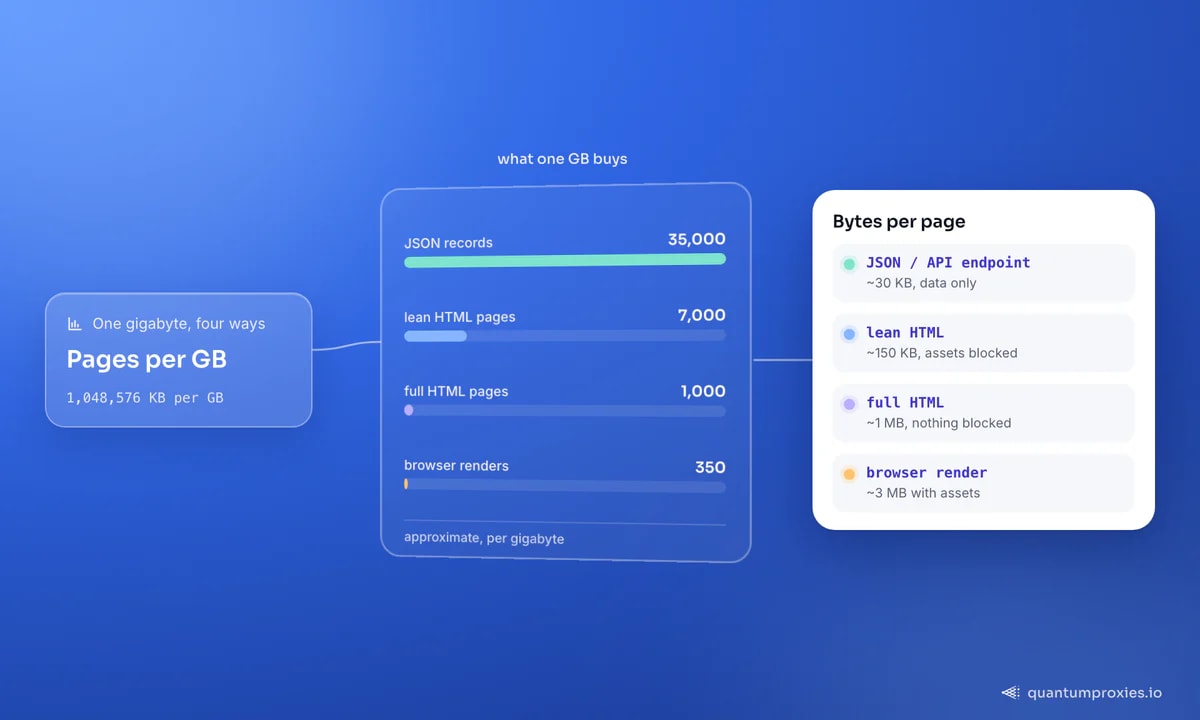
A gigabyte is about 1,048,576 KB, so page weight is everything. Here's what a GB realistically buys by approach:
- JSON / API endpoint (~30 KB): ~35,000 records per GB. The cheapest possible byte — you get the data with no presentation layer.
- Lean HTML, assets blocked (~150 KB): ~7,000 pages per GB. The DOM without images, fonts and CSS.
- Full HTML page, no blocking (~1 MB): ~1,000 pages per GB. Everything the page references, downloaded.
- Full browser render with assets (~3 MB): ~350 pages per GB. The most expensive way to get the same data.
The takeaway: the same gigabyte is worth 100x more read as JSON than rendered with every asset. Before you shop on price-per-GB, fix how many bytes each page costs you — that's the bigger lever. Our guide on cutting bandwidth costs 60-90% is the how-to.
The pricing models, compared
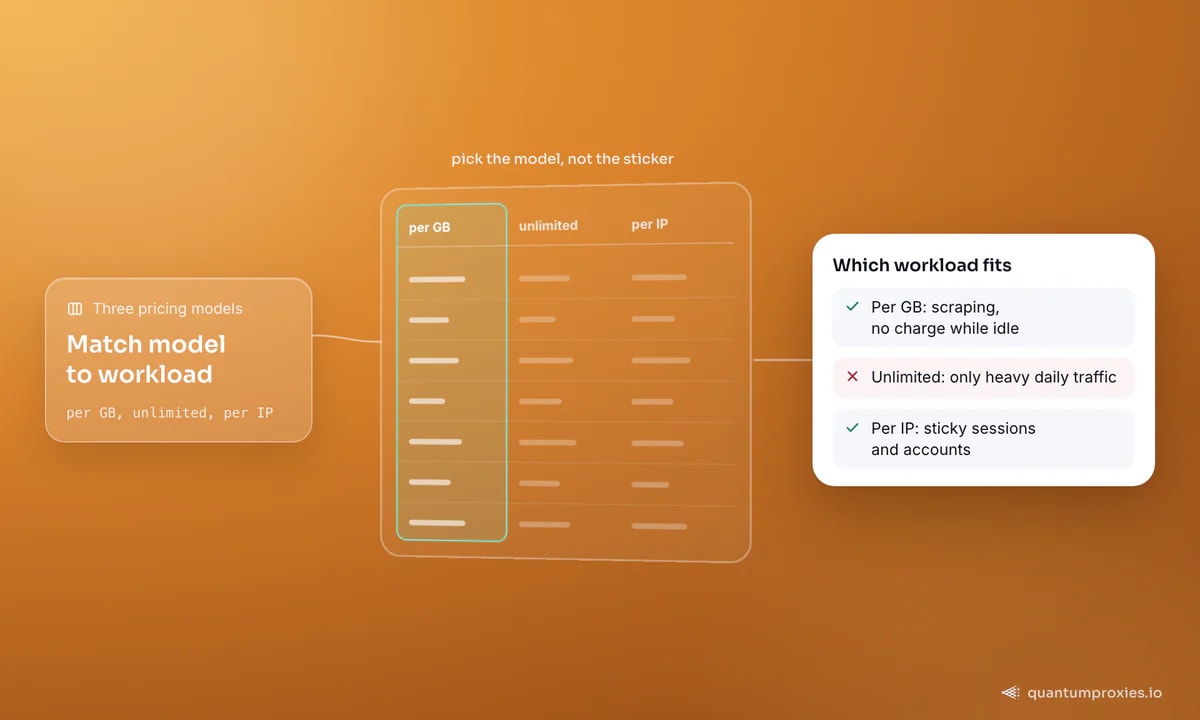
Providers sell bandwidth three ways, and the right one depends on your workload:
- Pay-per-GB: you pay for bytes used. Costs fall as you optimise, there's no charge while idle, and it matches bursty scraping perfectly. This is the default for most data collection.
- Monthly / unlimited: a flat fee, often with a hidden fair-use cap. Only wins if you run heavy, steady traffic every day of the month — otherwise you pay for capacity you don't touch.
- Per-IP / static: you buy IPs, not bandwidth. Ideal for sticky sessions and account work where you want the same IP for days, wasteful for broad rotating crawls.
For most scraping, pay-per-GB pricing is the honest model: your bill tracks your usage, and every optimisation you make shows up directly on the invoice. Free trial traffic doesn't count toward it, so you can benchmark your real bytes-per-page before committing.
Proxy type changes the price too
Residential is priced per GB because the IPs are scarce and trusted. But it isn't always the right tool. Datacenter IPs are far cheaper and fine for lenient targets and APIs; when datacenter proxies are the right call covers exactly those cases. ISP proxies give you residential-grade trust with static IPs for session work, and mobile sits at the top of the price ladder for the hardest targets. The cost-smart pattern is tiering: send easy targets through cheap datacenter IPs and save residential GB for the sites that genuinely need it.
So what should you actually pay?
Work it backwards from pages, not dollars. Estimate your monthly page count, multiply by realistic bytes-per-page for your approach, and you get GB needed; multiply that by the per-GB rate for your volume tier. A team reading JSON at 30 KB a record needs a fraction of the GB — and therefore the budget — of a team rendering full pages for the identical data. If your volumes are modest, a lower-cost tier can carry real workloads once your bytes-per-page are lean. The trap is buying cheap proxies that fail so often you re-request everything twice; our post on why cheap proxies cost more long-term shows how a low headline rate can become a high effective one.
See transparent per-GB residential pricing
Frequently asked questions
How much does a GB of residential proxy cost?
The market runs roughly $1-6 per GB, with pay-as-you-go at the top of that range and high-volume commitments toward the bottom; some entry tiers dip under a dollar. But the price per GB matters less than how many pages you get per GB — reading JSON at 30 KB a record stretches a gigabyte 100x further than rendering 3 MB pages, so optimise bytes-per-page before you shop on rate.
Why do residential proxies charge per GB?
Because the cost is in the bandwidth over scarce, trusted residential IPs, not in the IPs themselves. Per-GB pricing ties your bill to actual usage, which is fair for bursty scraping — you pay for what you move. Datacenter and ISP proxies are sometimes sold per-IP instead, which suits steady session work but wastes money on broad rotating crawls.
How do I estimate my bandwidth needs?
Multiply your target page count by realistic bytes-per-page for your method: ~30 KB for JSON, ~150 KB for lean HTML with assets blocked, ~1 MB for full HTML, ~3 MB for a browser render. That gives GB needed; multiply by your tier's per-GB rate for the budget. Benchmark on a free trial first, since trial traffic usually isn't billed.
Is pay-per-GB cheaper than unlimited?
For most workloads, yes. Unlimited plans only win when you run heavy traffic every day and would otherwise exceed the equivalent GB cost — and they often carry hidden fair-use caps. Pay-per-GB charges nothing while you're idle and rewards every byte you save, so bursty or optimised scraping almost always comes out ahead on the metered model.
The dollar-per-GB sticker is the least interesting number in proxy pricing. What decides your bill is bytes-per-page and the pricing model that fits your workload. Read JSON where you can, block assets where you can't, tier cheap IPs onto easy targets, and pay per GB so your savings are real. Get those right and the headline rate becomes a footnote. For the broader cheap-vs-premium trade-off, see what the real cost actually is.