How to Scrape Google Shopping Prices: Offers, Sellers, Geo Data
Google Shopping aggregates prices from thousands of merchants into one place. Here is how to turn its shopping vertical into a structured, geo-aware price feed you can trust.
Google Shopping is one of the largest price aggregators on the web: for a given product it pulls live offers, prices and seller details from thousands of merchants into a single ranked view. That makes it a uniquely efficient source for price intelligence - one query surfaces what dozens of retailers charge right now. This guide covers how to scrape Google Shopping prices cleanly, why geography changes everything, and when to stop hand-rolling a browser and call a structured API instead.
What the Shopping vertical actually gives you
The Shopping tab is the tbm=shop vertical of Google Search. Each product card carries a title, a price, the merchant/seller name, a star rating and review count, and a product identifier that groups multiple offers of the same item. For price work, that seller-and-price pairing is the gold: you can watch the spread across retailers for one SKU, catch who is undercutting whom, and track price movement over time - the raw material of a repricing or MAP-monitoring workflow.
The URL structure is straightforward. Results paginate ten per page via a start offset, and the exit's country is set with gl:
# Google Shopping search URL, page 1, US results
https://www.google.com/search?q=wireless+earbuds&tbm=shop&gl=us

# Page 2 (results 11-20): add a start offset
https://www.google.com/search?q=wireless+earbuds&tbm=shop&gl=us&start=10
Why location decides the answer
Shopping results are localised. Prices show in the local currency, the merchant mix changes by market, availability differs, and the gl parameter alone is not enough - Google also weighs the requesting IP's location. Ask for German results from a US datacenter IP and you will get an inconsistent, partly-US answer. To read the catalogue a shopper in Berlin actually sees, the request has to exit from a German residential IP. A residential proxy pool spanning 200+ countries lets you pin the exit to each market you price. This is the same discipline behind competitor price monitoring at scale.
The DIY route (and its tax)
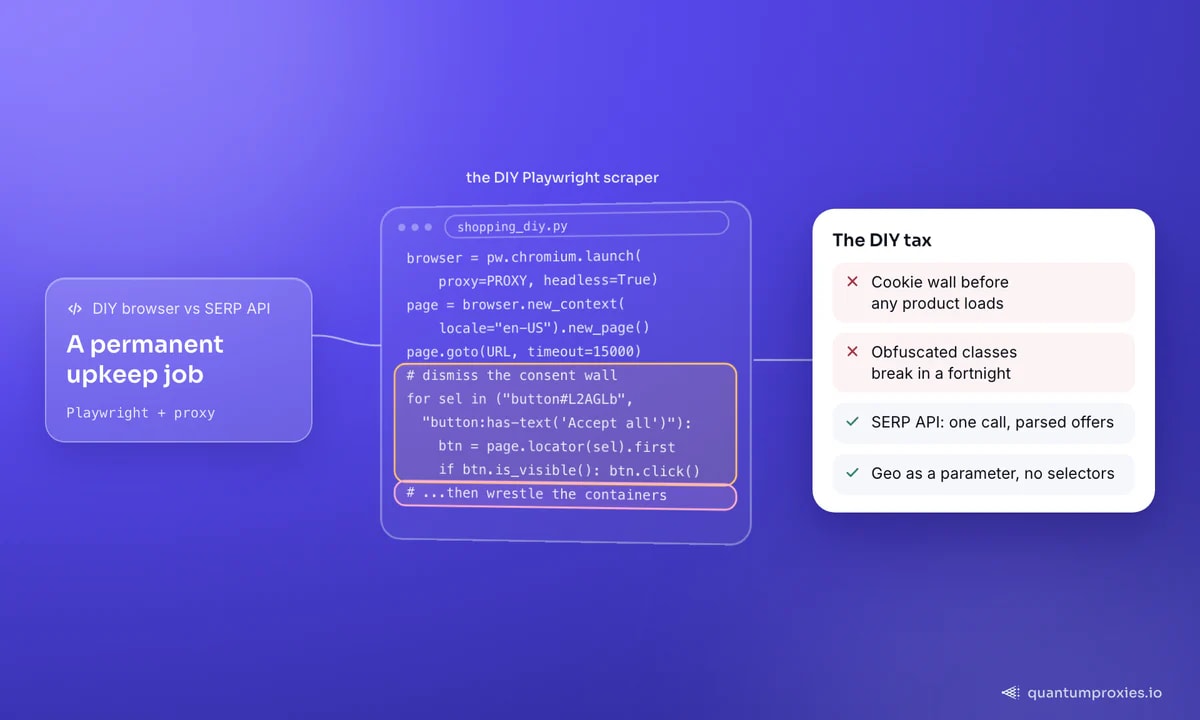
You can scrape the pages directly with a headless browser. Google Shopping is dynamically rendered and well defended, so plain HTTP requests fall short - you need a real browser engine, a proxy on each request, and code to dismiss the cookie-consent wall (the notorious button#L2AGLb "Accept all") before any products load. Then you fight the CSS: Shopping's container class names are obfuscated and rotate, so selectors that work today break in a fortnight. Add retry logic (three attempts with randomised backoff is a sensible floor) and you have a working scraper - and a permanent maintenance job.
# Sketch of the DIY approach with Playwright + proxy
from playwright.sync_api import sync_playwright

PROXY = {"server": "http://residentialpremium.quantumproxies.io:8080",
         "username": "USER", "password": "PASS"}
URL = "https://www.google.com/search?q=wireless+earbuds&tbm=shop&gl=us"

with sync_playwright() as pw:
    browser = pw.chromium.launch(proxy=PROXY, headless=True)
    page = browser.new_context(locale="en-US").new_page()
    page.goto(URL, wait_until="networkidle", timeout=15000)
    # dismiss the consent wall before products render
    for sel in ("button#L2AGLb", "button:has-text('Accept all')"):
        btn = page.locator(sel).first
        if btn.is_visible():
            btn.click(); break
    # ...then wrestle the obfuscated product containers
    browser.close()
The API route: one call, structured JSON
The alternative is to let a SERP API own the browser, the proxies and the parsing, and hand you the shopping vertical as JSON. You pass the query and a country; it returns offers with title, price, seller, rating and product id already extracted. No cookie walls, no selector maintenance, geo as a parameter. For a price feed that has to keep running, that trade is usually the right one - our breakdown of how SERP scraping works in 2026 explains why the raw HTML path keeps getting harder.
# One request to the SERP API's Google Shopping vertical
curl -X POST "https://api.quantumproxies.io/v1/scraper/serp" \
  -H "Authorization: Bearer YOUR_API_KEY" \
  -H "Content-Type: application/json" \
  -d '{"query": "wireless earbuds", "search_type": "shopping", "country": "us"}'
import requests
def shopping_offers(query, country="us"):
r = requests.post(
"https://api.quantumproxies.io/v1/scraper/serp",
headers={"Authorization": "Bearer YOUR_API_KEY"},
json={"query": query, "search_type": "shopping", "country": country},
timeout=120,
)
r.raise_for_status()
rows = []
for p in r.json()["payload"].get("shopping", []):
rows.append({
"title": p.get("title"),
"price": p.get("price"),
"seller": p.get("source"), # merchant name
"rating": p.get("rating"),
"pid": p.get("product_id"),
})
return rows
for country in ("us", "gb", "de"):
print(country, shopping_offers("wireless earbuds", country)[:3])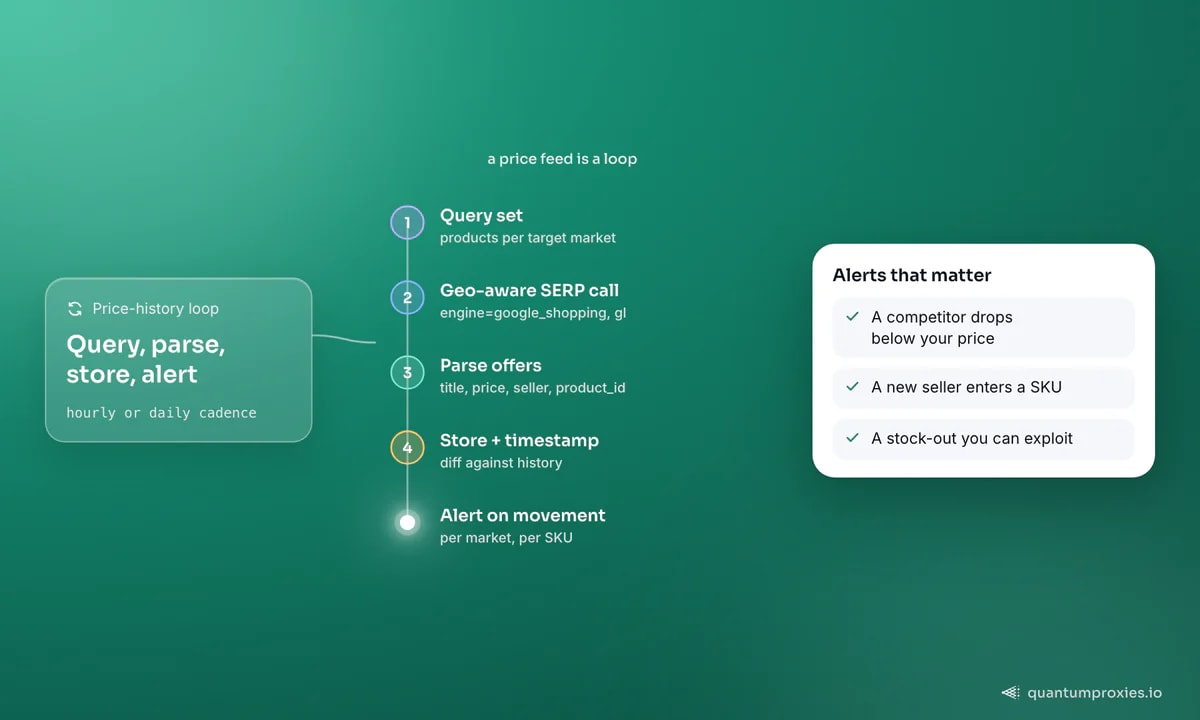
What a single offer actually contains
It pays to understand the shape of one product card before you scale a pipeline around it. Beyond the headline price, each offer carries the merchant name, an item condition (new, used or refurbished), shipping and tax hints, a star rating with a review count, and a product id that Google uses to cluster every seller of the same item under one entry. That product id is the join key for everything downstream: group offers by it and you can compare like-for-like across merchants, follow one SKU's price over time, and detect the moment a new seller enters a listing or an existing one disappears.
Two fields earn special attention for pricing work. The seller name lets you build a per-merchant view - who consistently undercuts, who anchors high, who only appears on promotions - which is far more actionable than an anonymous price cloud. The rating gives a rough trust weight, so you are not treating a one-review reseller as equivalent to an established retailer. Capture both alongside the price and currency, and your dataset answers questions a bare price feed never can.
- product_id - the cluster key; dedupe and join every seller of an item on it.
- price + currency - the metric, always paired with the market you pulled it from.
- seller / source - the merchant, for per-retailer competitive views.
- rating + reviews - a trust weight so comparisons are fair.
- timestamp - stamp every capture so history and deltas are possible.
Turning offers into intelligence
Raw offers are not intelligence - the loop is. Run your query set on a schedule, store each capture with a timestamp, and diff against history to surface what matters: a competitor dropping below your price, a new seller entering a SKU, a stock-out you can exploit. Group offers by product id so the same item's sellers are compared like-for-like, and run the whole set per target market. If you are building tooling on top of this, our note on choosing a SERP API covers the JSON-shape and per-query-cost questions that decide unit economics at volume.
Pull Google Shopping data with the SERP API
Frequently asked questions
How do I scrape Google Shopping with Python?
Two paths. Drive a headless browser (Playwright) through a residential proxy, dismiss the cookie-consent wall, and parse the product containers - flexible but high-maintenance because the markup is obfuscated and changes. Or call a SERP API's google_shopping engine with your query and a country code and receive parsed offers as JSON in one request. The API path is far less code to keep alive.
Does Google Shopping data change by country?
Yes, substantially. Currency, the set of merchants, prices and availability all vary by market. The gl parameter requests a country, but Google also weighs the requesting IP, so accurate localised results need an exit IP in the target country. Pin the request to a residential IP per market you price.
Is scraping Google Shopping legal?
Collecting publicly displayed prices and offers is common practice for price intelligence, but the terms of the source and any personal-data rules still apply, and this is not legal advice. Keep to public product data, respect rate limits, and if you are unsure about a specific use, get counsel. Do not collect or store personal information you do not need.
How often should I scrape Shopping prices?
It depends on how fast your category moves. Fast-moving electronics or ticketed goods may warrant hourly captures; stable categories are fine daily. Match the cadence to price volatility, timestamp every capture so you can build history, and spread requests across IPs and time so you stay a polite, low-risk visitor.
Google Shopping condenses a whole market's pricing into one queryable surface. Whether you render it yourself or call an API for structured JSON, the winning pattern is the same: geo-target every market, capture on a schedule, and diff against history. That is a price-intelligence engine, not a one-off scrape.