Sticky Sessions vs Rotating Proxies: When to Use Each
One IP held for a whole login, or a fresh IP on every request? Sticky and rotating solve opposite problems. Here's when each wins, how long a session should last, and the endpoint syntax that switches between them.
Every proxy setup lands on one decision: hold a single IP for a while, or swap it on every request. That's the sticky session versus rotating proxy choice, and getting it wrong is why a scraper gets banned or a login mysteriously logs itself out. The two modes solve opposite problems — session integrity on one side, ban resistance on the other. This guide covers what each does, when each wins, how long a session should last, and the exact endpoint syntax to switch between them.
Two things called "sticky session"
The term is overloaded, so clear it up first. In load balancing, a sticky session (also "session persistence") is a router feature that keeps sending one client to the same backend server, usually via a session cookie or consistent hashing — it's about server affinity, not IP addresses. In the proxy world, a sticky session means the proxy holds one exit IP for your traffic across multiple requests. Same words, different layer. This post is about the second one: keeping the same outbound IP for a stretch of requests.
Sticky vs rotating: the core difference
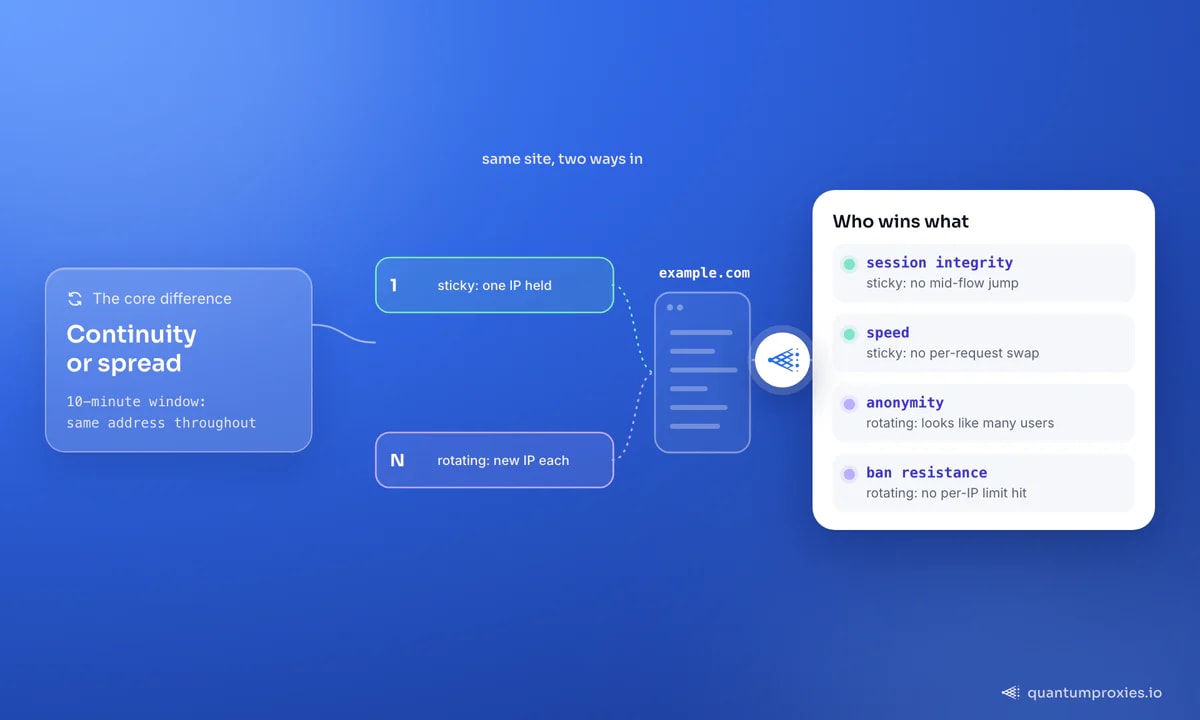
A sticky proxy assigns one IP and keeps it for a set duration, rotating to a new one only when the session expires. With a 10-minute window, every request in those 10 minutes leaves from the same address. A rotating proxy assigns a fresh IP from the pool on every request, so consecutive calls appear to come from different users in different places. Sticky preserves continuity; rotating maximizes spread. Neither is "better" — they're built for different jobs.
When you need a sticky session
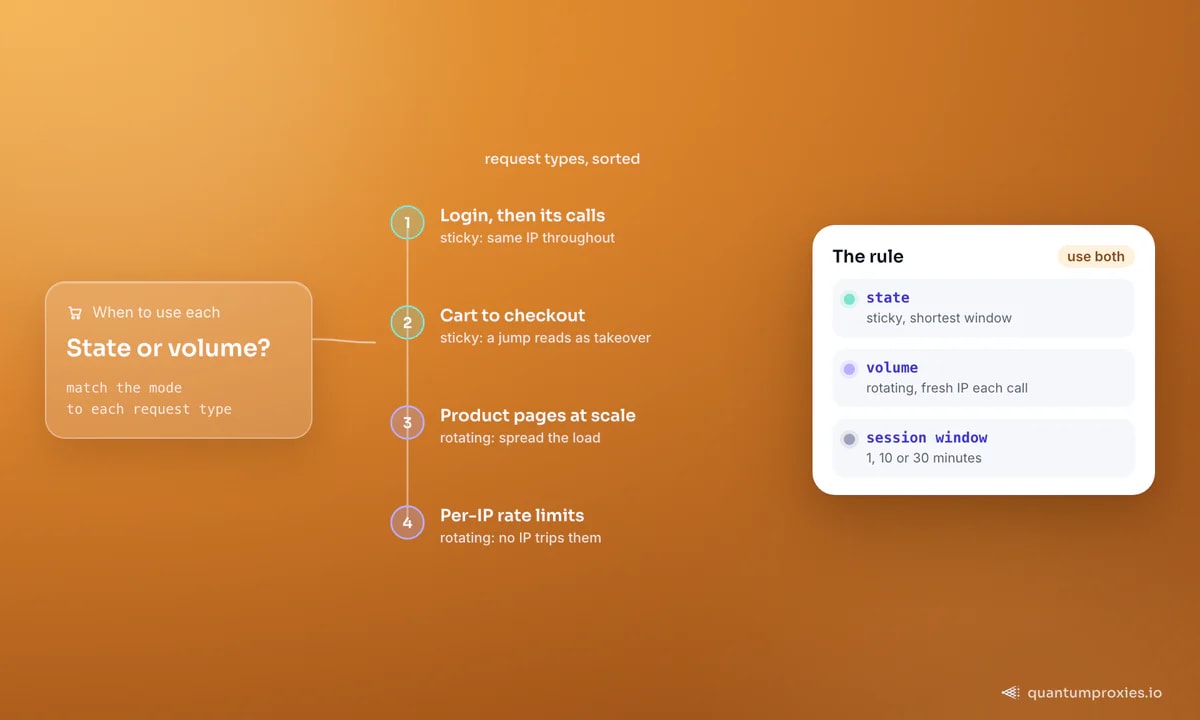
Any workflow that carries state needs the same IP throughout. A login and its follow-up calls, a cart building toward checkout, a form spread across several pages, or account-bound automation — all of these break if your IP changes mid-flow, because the site reads a sudden jump from New York to Amsterdam inside one session as account takeover and challenges or logs you out. Sticky sessions keep the flow coherent. They're also faster: there's no per-request work to pull and validate a new IP, so overhead is lower and the connection pool is reused.
When you need rotation
Stateless, high-volume work wants a fresh IP every time. Scraping thousands of product pages, pulling prices across a catalog, or crawling search results — none of it carries a session, and spreading requests across many IPs means no single address ever trips a per-IP rate limit. Rotation also gives the highest anonymity, since your traffic looks like many different users. For a deeper look at why spreading load matters, see our post on what IP rotation is and why it's crucial.
Get rotating proxies with sticky sessions built in
Session windows and detection risk
Sticky windows are configurable — commonly 1, 10, or 30 minutes, with some providers allowing up to 24 hours (1,440 minutes). There's a real trade-off in that number. A longer sticky session means more requests pile onto one IP, which raises the odds a site flags it for excessive traffic. A shorter session limits that exposure. The rule of thumb: set the window just long enough to complete the stateful task — a login and its actions, a checkout — and no longer. Don't hold an IP for an hour when the job takes ninety seconds.
Endpoint syntax patterns
Switching modes is usually a change to the proxy credentials, not the code. A rotating gateway is one endpoint that hands you a new IP each request. To pin a sticky IP, most providers let you append a session ID to the username — reuse the same ID and you keep the same exit for the window:
import requests

# Rotating: one endpoint, a fresh IP on every request
rot = "http://USER:PASS@residentialpremium.quantumproxies.io:8080"
r = requests.get("https://httpbin.org/ip", proxies={"http": rot, "https": rot}, timeout=15)

# Sticky: add a session id to the username to hold one IP
sid = "sid-a1b2c3-ttl-30m"
sticky = f"http://USER-{sid}:PASS@residentialpremium.quantumproxies.io:8080"
proxies = {"http": sticky, "https": sticky}

# every call reusing 'sid' keeps the same exit IP for the window
for path in ("/login", "/cart", "/checkout"):
    requests.get(f"https://example.com{path}", proxies=proxies, timeout=15)
The pragmatic default
Most real projects need both, and the cleanest setup gives you both from one pool: rotate by default for stateless fetches, and pin a sticky session only for the flows that carry state. A residential pool that exposes both modes lets you make that choice per request instead of buying two products. For managing that pool at scale — scoring, cooldowns, retirement — our guide on proxy pool best practices goes deeper, and running multiple accounts covers binding one sticky IP per persona.
Sticky IP vs static IP
One more term worth untangling, because it's a frequent related search: a sticky IP is not a static IP. A sticky session hands you the same IP for a while, but it's still a rotating-pool address that will change when the window ends — you never own it. A static IP, such as an ISP proxy, is a fixed address assigned to you that stays constant for weeks or months. Reach for sticky when you need continuity within a single session and don't care which IP you get; reach for static when you need a persistent, reputable identity — a long-lived account login, or a service that whitelists your address. Put simply: sticky is a duration setting, static is an assignment.
Frequently asked questions
What is the difference between sticky and rotating proxies?
A sticky proxy holds the same exit IP for a set time window — every request in that window uses one address. A rotating proxy assigns a new IP from the pool on each request. Sticky preserves session continuity for logins and carts; rotating spreads traffic across many IPs to beat rate limits and maximize anonymity for large-scale scraping.
When should I use sticky sessions?
Use sticky sessions whenever the task carries state: logging in and staying logged in, building a cart, completing a multi-page form, or any account-bound automation. Sites treat a mid-flow IP change as suspicious and will challenge or log you out. Set the window just long enough to finish the flow, then let the IP rotate.
How long does a sticky session last?
It's configurable. Common windows are 1, 10, and 30 minutes, and some providers allow up to 24 hours (1,440 minutes). Pick the shortest window that still completes your stateful task — longer sessions pile more requests onto one IP and raise the chance the site flags it for excessive traffic.
Are sticky proxies more likely to get blocked?
They can be, if the session runs long. Holding one IP for an extended period concentrates your traffic on a single address, which is exactly the pattern rate-limiters watch for. Short sticky windows mitigate this, and for stateless work rotating proxies are safer because no single IP ever accumulates a suspicious request count.
Sticky versus rotating isn't a preference, it's a match to the task: state needs one held IP, volume needs many spread IPs. Rotate by default, pin sticky only for the flows that carry a session, and keep sticky windows tight. Get both from one pool and you can make that call request by request instead of committing to the wrong one up front.