How to Scrape Amazon Reviews Without the API in 2026
Amazon retired its public review API and hardened the product pages in 2026. The featured sample is still reachable, the full history mostly isn't. Here's exactly what you can collect — and where the legal line sits.
Amazon reviews are the richest free source of consumer sentiment on the web — star distributions, verified-purchase signals, and the exact language buyers use about a product. But the easy paths closed in 2026. Amazon retired the public review API, and in May 2026 it hardened how reviews are served: pulling them out of the raw product-page HTML is no longer reliable, and the standalone reviews URL now returns a not-found page to logged-out visitors. This guide covers what you can still collect, cleanly, and where the line sits.
What you can actually get in 2026
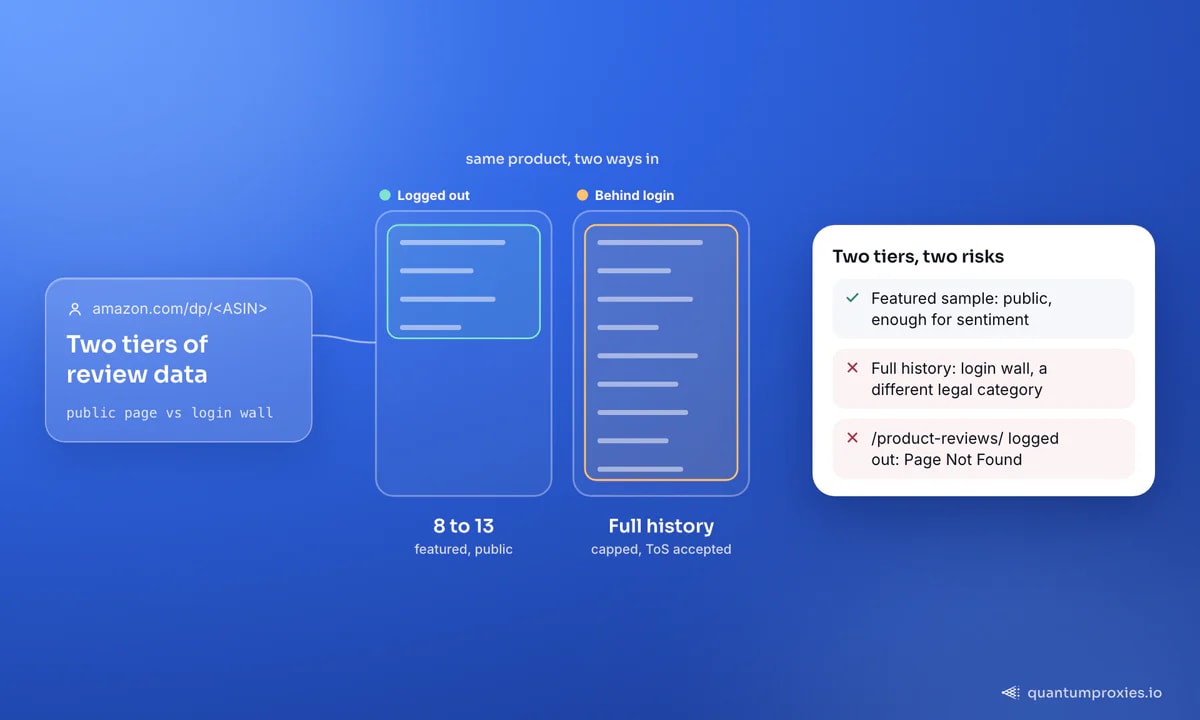
There are two tiers of review data, and they carry very different risk. The public product page shows a curated sample of roughly 8 to 13 "featured" reviews — Amazon's chosen mix of positive, critical, and most-helpful feedback. That sample is public data and enough for a solid read on how a product is landing. The full review history sits behind a login wall, and even signed in, Amazon now caps how far back it will serve. For any commercial use, the featured sample is where you should stay.
Where reviews live on the page
Every product has a 10-character ASIN — the ID in any product URL, so amazon.com/dp/B06X3SSTD8 has the ASIN B06X3SSTD8. Featured reviews render inside the product detail page (PDP). The old standalone path, /product-reviews/<ASIN>/, now returns Amazon's own "Page Not Found" when you're logged out, which is why the classic pageNumber pagination loop returns nothing without session cookies. Build your pipeline around the ASIN and the PDP, not the retired reviews endpoint.
Scraping the featured reviews cleanly
The featured set lives in the PDP, so you fetch one page per ASIN. Amazon fingerprints scrapers hard, so this only works from clean IPs — route through a residential proxy with a US exit so pricing and availability resolve, and add a browser header set. Because Amazon now obfuscates the review markup, the pragmatic route is a Scraper API that returns parsed review objects instead of a moving-target HTML shell:
import requests

resp = requests.post(
    "https://api.quantumproxies.io/v1/scraper/extract",
    headers={"Authorization": "Bearer YOUR_API_KEY"},
    json={
        "url": "https://www.amazon.com/dp/B06X3SSTD8",
        "country": "us",
        "ai_prompt": "Extract the featured customer reviews on this product page.",
        "ai_schema": {
            "type": "object",
            "properties": {
                "reviews": {
                    "type": "array",
                    "items": {
                        "type": "object",
                        "properties": {
                            "rating": {"type": "number"},
                            "verified_purchase": {"type": "boolean"},
                            "title": {"type": "string"},
                        },
                    },
                },
            },
        },
    },
    timeout=120,
)
data = resp.json()["payload"]["ai"]["data"]
for r in data.get("reviews", []):
    print(r["rating"], r["verified_purchase"], r["title"])
If you prefer to parse yourself, fetch the PDP through the proxy and run selectors over the featured block — but expect to re-tune selectors whenever Amazon shifts the layout, which it does often. The API route trades that maintenance for a stable JSON shape.
The fields worth capturing
A useful review record is more than star + text. Capture these:
- rating — 1 to 5 stars, the quantitative signal.
- verified_purchase — true when Amazon confirmed the buyer bought the item; weight these higher.
- helpful_votes — how many shoppers found it useful. Note: a value of 0 usually means "not shown," not "zero votes."
- date — the full "Reviewed in ... on ..." string, for recency and trend analysis.
- author and body — the display name and full text, for sentiment and keyword mining.
Scaling from one product to a catalog
One product's featured sample is a data point; a whole category's is a dataset. To go wide, you first need a list of ASINs — pull them from Amazon search or best-seller pages, then feed each ASIN into the review fetch. Two things bite at scale. First, pace yourself: Amazon watches request velocity per IP, so rotate residential exits and add jitter between calls rather than firing them off in a tight sequential loop. Second, pin the marketplace deliberately — amazon.com, amazon.co.uk, and amazon.de carry different reviews for the same product, and your exit country has to match the domain or you'll get a localised redirect instead of reviews. Collect the featured sample across hundreds of ASINs and you have a category-wide sentiment picture no single product page could ever give you.
Is scraping Amazon reviews legal?
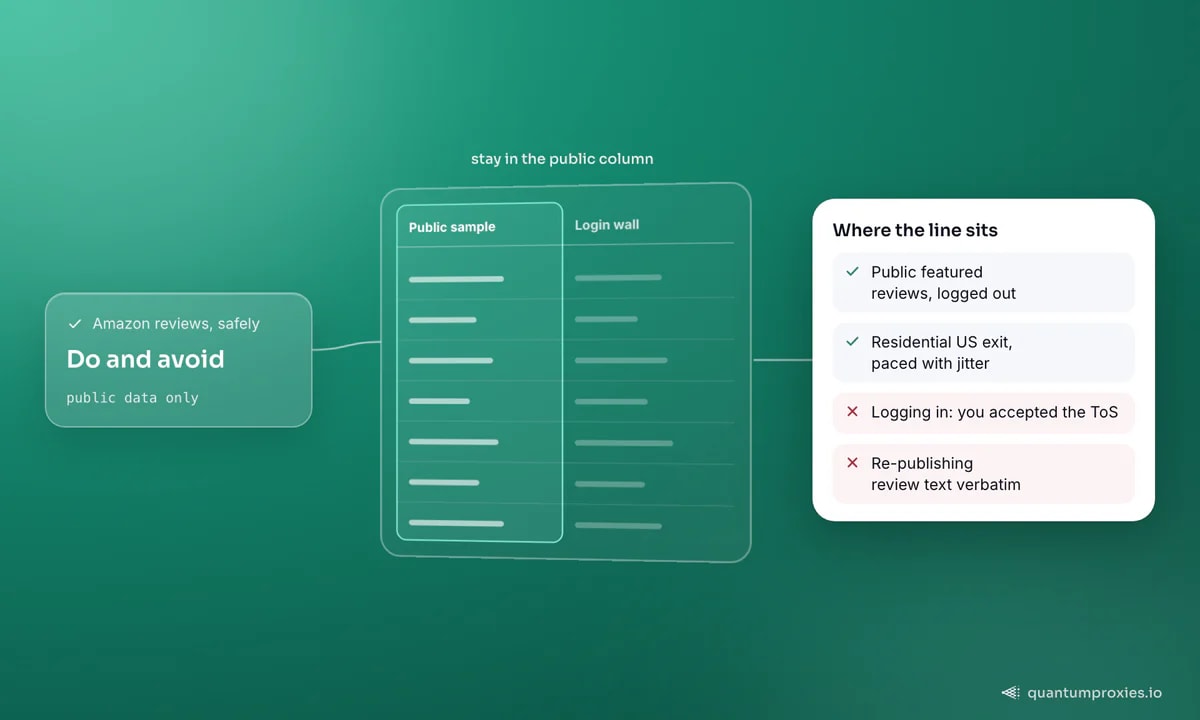
This is informational, not legal advice — but the shape is clear. Amazon's Terms of Service explicitly prohibit "the use of data mining, robots, or similar data gathering and extraction tools." The nuance is that scraping public product pages sits in a legal gray area: if you never logged in, you never agreed to those terms, and their enforceability is contested in many jurisdictions. Scraping behind a login is different — creating an account means you actively accepted the ToS, and the data isn't public. Our overview of web scraping legality in 2026 covers the case law. The practical rule: for commercial work, stay on the public featured sample and never re-publish an individual's review text verbatim.
Pull parsed Amazon reviews with the Scraper API
From reviews to insight
Raw reviews aren't the deliverable — the pattern in them is. Run the featured samples across a category through a sentiment model to rank products by satisfaction, mine one- and two-star bodies for recurring defects, and track how a competitor's rating moves after a launch. The same pipeline scales to other sources; see our guide on scraping product reviews at scale, and the ASIN discovery methods in scraping Amazon product data to build the product list you feed in.
Frequently asked questions
Can you scrape Amazon reviews without an account?
Yes, but only the featured sample. The public product page exposes a curated set of roughly 8 to 13 reviews to logged-out visitors — that's the ceiling without signing in. It's enough to gauge how a product is performing. The full review history requires a logged-in session, which puts you under Amazon's Terms of Service and out of the public-data zone.
Is it legal to scrape Amazon reviews?
Scraping public product-page data sits in a contested gray area — you never agreed to Amazon's ToS if you didn't log in. Scraping behind a login is riskier, because creating an account means accepting those terms. This isn't legal advice; for commercial use, the safe posture is to collect only public featured reviews and never republish someone's review text as your own.
How many Amazon reviews can you scrape per product?
Without logging in, roughly 8 to 13 featured reviews per product — the sample Amazon chooses to show publicly. Since May 2026, even a logged-in session hits a cap on how much of the full history Amazon will serve. If you need broad coverage, aggregate the featured samples across many products rather than trying to exhaust one product's history.
What's the best way to scrape Amazon reviews in Python?
Fetch the product page through a residential proxy with a US exit, then either parse the featured block with BeautifulSoup or call a Scraper API that returns parsed review JSON. The API route is more robust because Amazon obfuscates review markup and shifts it frequently — a stable JSON shape saves you from re-tuning selectors every few weeks.
The Amazon review landscape narrowed in 2026, but the useful slice is still reachable: the public featured sample, collected from clean IPs, aggregated across a catalog rather than exhausted per product. Stay on public data, capture the fields that carry signal, and let sentiment analysis turn the sample into an actual decision.