How to Scrape Public TikTok Data in 2026 (What Works)
TikTok's public data is all there — in a hidden JSON blob and a cursor-paginated feed — but the anti-bot layer is why every off-the-shelf scraper eventually breaks. Here's what still works, and why mobile IPs matter.
TikTok publishes a surprising amount of public data — profiles, video metadata, hashtag feeds, engagement counts — and none of it needs a login to read. What makes scraping TikTok data hard isn't finding the data; it's that the site's anti-bot layer flags automated access aggressively, which is why every off-the-shelf library eventually breaks and why the exit IP you use decides whether you get results or a CAPTCHA. This guide covers where the public data lives, how pagination really works, why unofficial tools rot, and why mobile proxies are the pragmatic default. It's about public, non-personal research data — trends, creators, hashtags — not scraping private accounts.
Where the public data actually lives
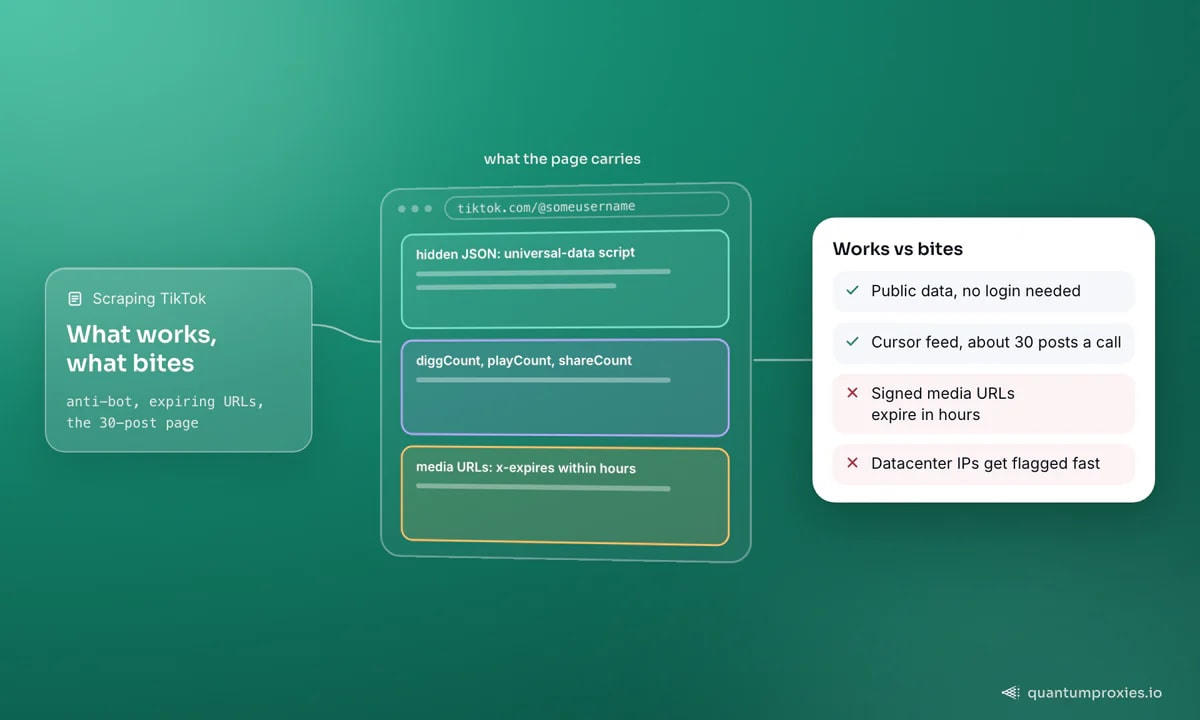
TikTok is a client-rendered app, so a naive GET returns a shell. The useful content sits in two places: a hidden JSON blob embedded in the page (a universal-data script the app hydrates from) and the internal feed endpoints the app calls after load. Between them you can read almost everything a viewer sees: for each video, the caption text, createTime, diggCount (likes), shareCount, playCount, commentCount, collectCount, plus nested author, music and stats objects. Author data includes follower and total-like counts, verification status, bio and bio link. Slideshow posts flag isSlideshow and carry an image-link array instead of a video.
Profiles need two IDs, not just a username
The gotcha that trips every first attempt: pulling a user's video feed needs two identifiers, not just the handle. You need the numeric id (userID) and the secUid, both of which come from resolving the profile first. Miss the secUid and the feed call returns nothing. Resolve once, then page through the feed.
# Sketch of the account-free flow every TikTok scraper follows.
# 1) Resolve the profile to get BOTH ids
user = get_user("someusername")          # -> {"id": ..., "secUid": ...}
user_id, sec_uid = user["id"], user["secUid"]

# 2) Page the feed with those ids (see cursor loop below)
videos = user_feed(user_id, sec_uid)
Pagination is cursor-based (and capped at ~30)
One feed call returns roughly 30 posts — nowhere near a full timeline. TikTok paginates with a cursor: each response includes a cursor (where this batch ended) and a hasMore boolean. To get the whole feed you loop, passing the cursor back in until hasMore is false. This is also where you're most exposed — every page is another request from your IP, so a long timeline is a lot of calls to make from one address.
def crawl_feed(user_id, sec_uid):
    items, cursor, has_more = [], 0, True
    while has_more:
        page = user_feed(user_id, sec_uid, cursor=cursor)  # ~30 posts
        items.extend(page["itemList"])
        cursor = int(page["cursor"])
        has_more = page["hasMore"]
        # rotate / pace here — every loop is a fresh request from your IP
    return items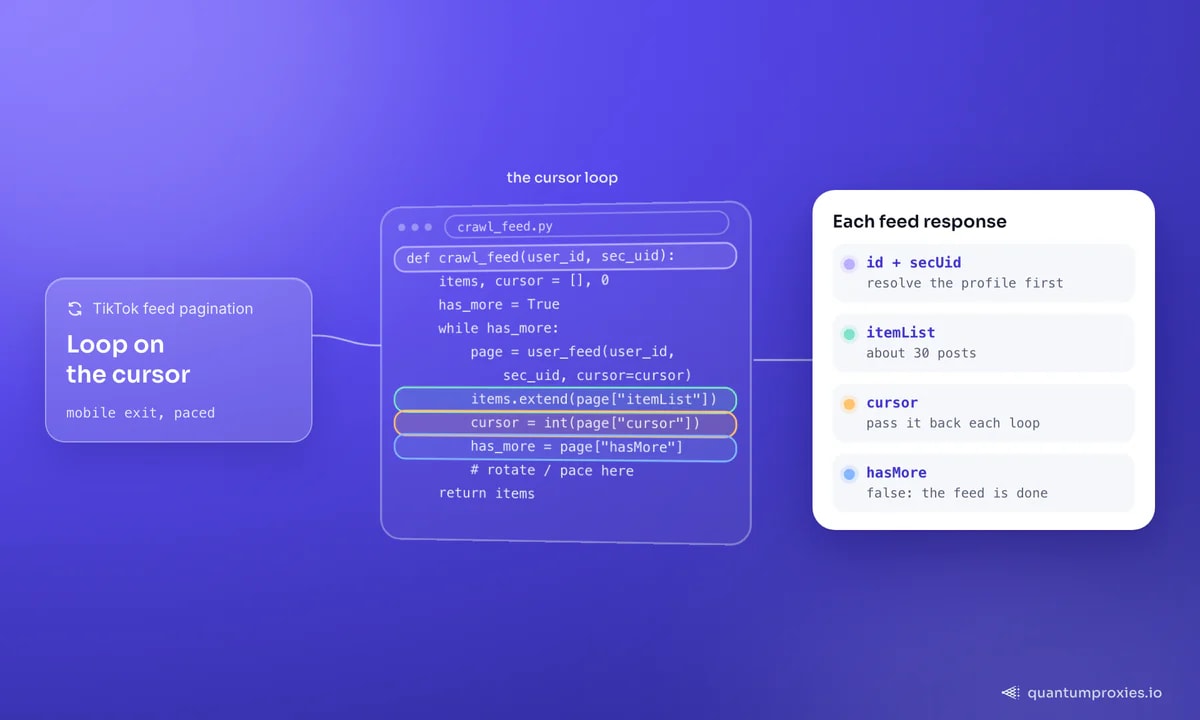
Why unofficial libraries keep breaking
If you've used a popular open-source TikTok library, you've felt this: it works for a while, then starts returning CAPTCHAs or empty results, and a forked patch appears to keep it alive. That churn isn't the maintainers' fault — TikTok changes its signing and anti-bot logic, and every unofficial client races to catch up. Two lessons follow. Pin to a maintained fork and expect to update it. And do not tie your data pipeline's reliability to one brittle library — the durable part is your own parsing and rotation layer around whatever fetch method currently works.
Scraped media URLs expire — grab them fast
A subtle trap for anyone archiving content: TikTok's avatar, cover and video URLs are time-signed. They carry x-expires and x-signature query parameters and stop working within hours. So a link you scraped this morning is dead by evening. If you need the media itself, download it in the same run you discover it; if you only need metadata, store the stable IDs and re-resolve fresh URLs on demand.
Why mobile proxies, specifically
TikTok is a mobile-first platform with mobile-grade anti-bot expectations, and this is where IP choice decides everything. Datacenter IPs get flagged fast. Residential IPs are far better. But mobile proxies are the strongest fit because of how carrier networks work: mobile operators route thousands of real subscribers through a handful of shared IPs (CGNAT), so a single mobile IP looks like a whole crowd of genuine users. Blocking it would mean blocking real customers, which platforms are extremely reluctant to do — the reason we cover in why mobile IPs are so trusted. Mobile exits also let you sample geo-specific feeds: TikTok tailors trends by country, so a UK exit and a US exit return different "For You" content.
Get mobile proxies for TikTok data
TikTok Shop and geo differences
TikTok Shop product data follows the same shape — public listings, structured JSON, cursor pagination — but availability is heavily geo-gated, so you can only see a region's catalogue from an exit IP in that region. This is the same reason TikTok growth work leans on location-matched IPs: whether you're reading Shop inventory or trend feeds, the content you get is a function of where your IP says you are. Sample each market from a matching exit and treat the results as region-specific, not global.
When to skip the DIY stack
Maintaining a TikTok scraper means chasing signing changes, handling CAPTCHAs and babysitting a fork — an ongoing tax, not a one-time build. If TikTok data is an input to a product rather than the product itself, a Scraper API that renders the page, rotates mobile-grade IPs and returns clean JSON takes that maintenance off your plate. Run your own stack while you're learning the structure; switch to a managed fetch layer when the upkeep starts costing more than the insight.
Frequently asked questions
Can you scrape TikTok data without an account?
Yes — public profiles, videos, hashtags and their engagement metadata are readable without logging in, because TikTok embeds them in a hidden JSON blob and serves them through internal feed endpoints. You still need to resolve a profile's numeric id and secUid before paging its feed, and you'll hit anti-bot flagging without clean, rotating IPs.
Why does my TikTok scraper get CAPTCHAs?
TikTok flags IPs that behave like automation — too many requests, datacenter address ranges, or an IP with poor reputation. Cursor pagination makes it worse because a full timeline is many calls from one IP. Spread requests across a rotating mobile or residential pool, pace them, and validate responses. Mobile IPs draw the least suspicion because they're shared by real subscribers.
How much TikTok data can one request return?
A single feed call returns roughly 30 posts. To collect a full timeline you loop on the cursor the response gives you, passing it back each time until the hasMore flag is false. Because every page is another request from your IP, longer timelines mean more exposure — which is why rotation and pacing matter as the count grows.
Do I need mobile proxies for TikTok?
Not strictly, but they're the strongest option. Datacenter IPs get flagged quickly; residential IPs work better; mobile proxies work best because carrier CGNAT means one mobile IP is shared by many real users, so platforms are reluctant to block it. Mobile exits also let you pull geo-specific trend and Shop data by choosing the exit country.
TikTok's public data is all reachable without a login — the hard part is staying reachable. Resolve both profile IDs, loop the cursor, grab signed media immediately, and route through mobile-grade IPs so your requests look like the crowd they're hiding in. Get the IP layer right and the rest is just JSON.