robots.txt for Web Scraping: What It Binds, What It Doesn't
robots.txt is a convention, not a contract - and not a lock. Here is what it actually asks of a scraper, what it can't enforce, and how to respect it while still getting data.
Every conversation about scraping ethics starts with robots.txt, and most of them get it wrong in one of two directions - treating it as a law you will be arrested for breaking, or as noise you can ignore entirely. It is neither. robots.txt is a voluntary convention that tells well-behaved bots which paths a site would rather they left alone. Knowing exactly what it does and does not bind is what separates a professional data operation from a reckless one. This is a practitioner's guide, and a note up front: this is informative, not legal advice.
What robots.txt actually is
robots.txt implements the Robots Exclusion Protocol, standardised in 2022 as RFC 9309. It is a plain text file that lives at the root of a domain - https://example.com/robots.txt - with one file per domain or subdomain. It is optional: a 404 simply means the site has no file and has expressed no preference. Crucially, it is a request, not a barrier. Nothing about serving a robots.txt technically prevents access; it relies on the good faith of the bots reading it.
Reading it is a single request - do this before you crawl anything, every time:
# Just read it
curl -s https://example.com/robots.txt

# Through a proxy, as your scraper would see it
curl -s -x http://USER:PASS@residentialpremium.quantumproxies.io:8080 https://example.com/robots.txt
The directives that matter
The vocabulary is small. Learn these and you can read any robots.txt at a glance:
User-agent- which bot the following rules target.*means every bot; a name likeGooglebottargets one. Directive names are case-insensitive, but the path values are case-sensitive:/Private/is not/private/.Disallow- a path prefix not to crawl.Disallow: /admin/blocks that folder and everything under it.Disallow: /blocks the whole site; an emptyDisallow:allows everything.Allow- a non-standard but universally honoured override that re-permits a path inside a disallowed one.Crawl-delay- a non-standard hint asking for N seconds between requests. Honour it: ignoring it is one of the fastest ways to get flagged.Request-rateandVisit-time- rare directives that cap requests per interval or restrict crawling to certain UTC hours.Sitemap- an absolute URL to the XML sitemap. Not a restriction, a gift: it maps the site's structure for you.
One caveat on syntax: the wildcards * and $ in path patterns are not in the original standard, but every major engine honours them, so Disallow: /*.pdf$ is common and effective in practice.
import urllib.robotparser as rp

# Parse robots.txt and check a URL for your user agent
robots = rp.RobotFileParser()
robots.set_url("https://example.com/robots.txt")
robots.read()

UA = "MyResearchBot/1.0"
print(robots.can_fetch(UA, "https://example.com/products"))  # True / False
print(robots.crawl_delay(UA))                                 # seconds, or None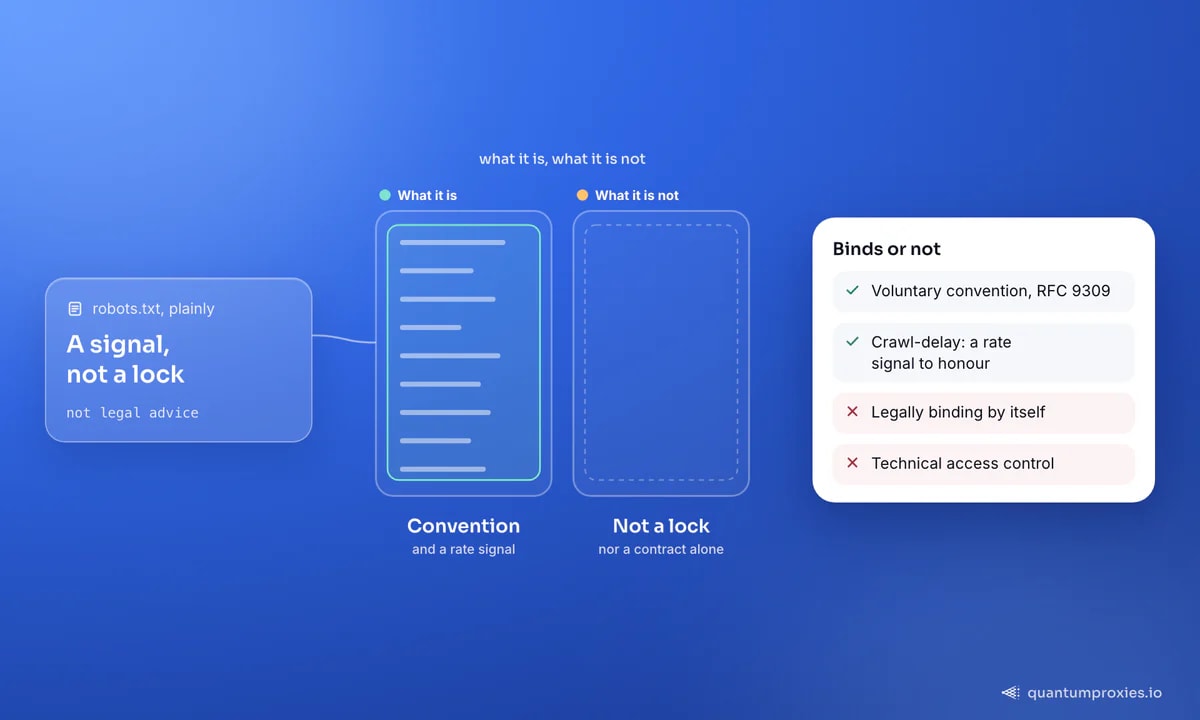
What it binds - and what it doesn't
This is the part people most need clarified. robots.txt is not, by itself, legally binding, and it is not a technical access-control mechanism - it does not lock anything. Courts have generally treated well-known public data as public. But 'not a law on its own' is not the same as 'no consequences'. Ignoring a site's stated wishes can become a factor in terms-of-service, trespass or computer-misuse arguments, it invites blocks and extra scrutiny, and it is simply poor citizenship. The pragmatic stance: treat robots.txt as an ethical floor you honour, and treat the actual legal questions - personal data, contracts, jurisdiction - as a separate matter to get right. Our overview of web scraping legality in 2026 covers those separately.
The AI-crawler shift
robots.txt has taken on a second life as the opt-out channel for AI training. Sites now add explicit rules for AI user agents - GPTBot, Google-Extended, CCBot, ClaudeBot, PerplexityBot and others - to say 'index me, but do not train on me'. This is why researchers now argue robots.txt is no longer enough on its own to keep public data out of models: it depends entirely on each crawler choosing to obey, and it only speaks to declared, well-behaved agents. If you operate a crawler, declaring an honest User-Agent and respecting these opt-outs is the baseline. The emerging companion file for the opposite intent - inviting AI tools in - is llms.txt, which we cover in our guide to llms.txt.
# A modern robots.txt often carries AI-specific opt-outs:
#   User-agent: GPTBot
#   Disallow: /
#
#   User-agent: Google-Extended
#   Disallow: /
#
#   User-agent: *
#   Crawl-delay: 5
#   Sitemap: https://example.com/sitemap.xml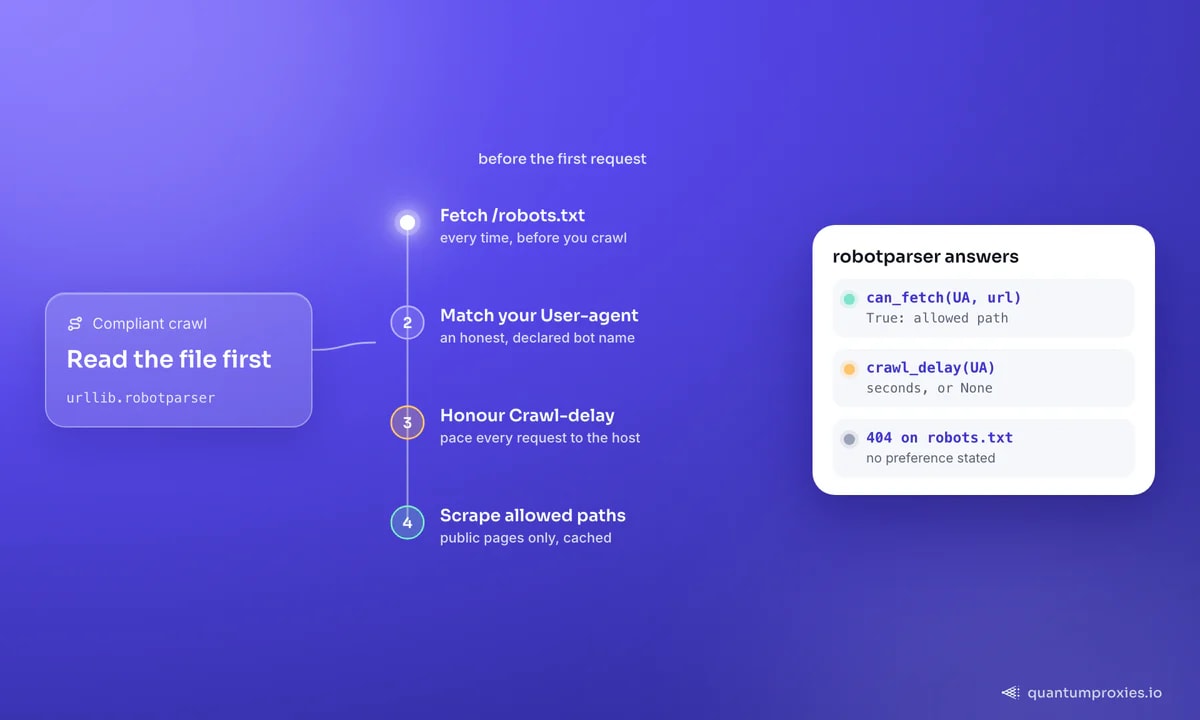
Being a good citizen while still getting data
Respecting robots.txt and collecting the public data you need are not in conflict. The disciplines that keep you welcome are the same ones that keep you unblocked: honour Crawl-delay and pace your requests, identify your bot honestly, cache aggressively so you never re-fetch the same page, and avoid the expensive endpoints a site is trying to protect. The community norm, well put on forums, is that robots.txt exists mostly to discourage bots that generate crushing traffic - so do not be that bot. Our polite scraping guide turns this into concrete pacing rules.
For teams that want compliance handled by default, a Scraper API can read and respect robots.txt as part of the request, alongside sane rate limiting - so good citizenship is the default behaviour of the tool, not a checkbox you might forget. It also keeps a clean, declared footprint rather than a raw script hammering from one IP.
Collect public data the compliant way
Frequently asked questions
Does robots.txt legally apply to web scraping?
Not by itself. robots.txt is a voluntary convention (RFC 9309), not a law or a contract, and it does not technically block access. But ignoring it can feed into terms-of-service, trespass or computer-misuse claims and invites blocks and scrutiny. Treat it as an ethical floor to honour, and handle the real legal questions - personal data, contracts - separately. This is not legal advice.
How do I read a website's robots.txt?
Send an HTTP GET to the domain root with /robots.txt appended, e.g. https://example.com/robots.txt. curl or any HTTP client works; in Python, urllib.robotparser parses it and answers can_fetch() for a given user agent and URL. A 404 means the site has no robots.txt and has stated no crawl preference.
What does Disallow: / mean?
It asks all matching bots not to crawl any path on the site - the whole domain is off-limits by request. An empty Disallow: means the opposite: everything is allowed. Remember these are requests to well-behaved crawlers, not enforced barriers, and that path values are case-sensitive while directive names are not.
Can I ignore robots.txt if the data is public?
You technically can, since it is not enforced, but you generally should not. Ignoring it is poor citizenship, gets you blocked faster, and can strengthen a site's argument against you in a dispute. The professional approach is to respect it, scrape only allowed public paths, pace your requests, and keep personal data out of scope entirely.
robots.txt is a small file that carries a large signal: here is how this site wants to be crawled. Read it first, honour the paths and the pacing, declare who you are, and you can collect the public data you need while staying firmly on the right side of both etiquette and risk.